
|
|
|
|
#1
 02-12-2014, 03:56 AM
|
|||
|
|||

Quote:
I remember when I used to see that one on a regular basis...
__________________
Find my missions and much more at Mission4Today.com 
|
|
#2
02-12-2014, 01:38 PM
|
|||
|
|||
|
Wasnt there the "download file" button for lagging connection also in use to lag out,
the server can tighten up these issues with the max lag setting  checkServerTimeSpeed=1 ; check server's system time [0|1] ; Anticheat, Server toClient. checkClientTimeSpeed=1 ; check client's system time [0|1] checkTimeSpeedDifferense=0.03 ; Max speed difference between system times [%] ;Maximum Difference (3%) checkTimeSpeedInterval=5 ; Measure difference every <num> seconds ; Difference allowed (5 = 5 seconds) Print screen was sorted some time back but it wont stop people manipulating their connection. Last edited by KG26_Alpha; 02-12-2014 at 02:04 PM.
|
|
#3
02-12-2014, 07:13 PM
|
|||
|
|||
|
IceFire wrote
"If you're referring to Print Screen gaining an advantage by causing the player to essentially lag on command. Either its been minimized or is no longer an issue." O.K. then, guess it's just my machine. Thanks IceFire.
|
|
#4
02-12-2014, 11:26 PM
|
||||
|
||||
|
I would imagine that downloading/uploading custom paintschemes and such can add to lag, but it seems that the game netcode is designed so that they don't clog the tube, and even if they did, it would be worth it.
There can be a very, very small hiccup in online play when a player spawns. It could be a machine/isp - related thing. So, cheating in Il-2 is a thing of the past! サムライ!猫!妖精!勝利!
|
|
#5
02-13-2014, 05:18 PM
|
|||
|
|||
|
I think you need to be very careful how carelessly you're throwing the word "cheating" around in this thread.
You have available to you countless graphical options. I can set up my game where I ALWAYS see contacts before my other human pilots. And I'm not really sacrificing graphical quality. Here's a few tips. Use your desktop's native resolution in the game. Don't resize. If you have a CRT (boat anchor monitor), use 4:3 aspect. 1024x768, 1280x960, etc. Otherwise use your native monitor's resolution. Use settings appropriate for you game that give you the best framerate and enough visual distance. Consider using version 1 shaders (I find more funky water and all that make things HARDER to see). Consider these settings in your OpenGL section (I'm only including the ones that should matter the most if you use OpenGL and an AMD or nvidia card): TexMipFilter=2 TexCompress=0 TexFlags.UseDither=0 TexFlags.PolygonStipple=0 TexFlags.UseVertexArrays=1 TexFlags.VertexArrayExt=1 TexFlags.UsePaletteExt=0 TexFlags.TexAnisotropicExt=0 TexFlags.TexCompressARBExt=0 Shadows=2 TexQual=3 TexLarge=1 TexFlags.DrawLandByTriangles=1 Specular=2 SpecularLight=2 DiffuseLight=2 DynamicalLights=1 MeshDetail=2 VisibilityDistance=3 TexLandQual=3 TexLandLarge=1 LandShading=2 LandDetails=2 LandGeom=3 Sky=2 Water=0 Forest=2 HardwareShaders=1 Effects=1 ForceShaders1x=1 Turning Water down, and Forcing ver. 1 Shaders helps loads in terms of framerate and visibility (for me and ground AND air targets). Also, avoid Anisotropic Filtering. IT'S SOLE PURPOSE is for processing multiple mipmap filtering on tiled textures at low aspect such as runway textures (most affected). Antialising's sole purpose is to improve visuals at LOWER resolutions (1024x768, 800x600). You really don't notice Jaggies at 1280x960 or higher. This will affect DOTS, so don't use it.
|
|
#6
02-20-2014, 10:23 PM
|
|||
|
|||
|
Quote:
Quote:
Quote:
|
|
#7
02-21-2014, 04:33 AM
|
||||
|
||||
|
Quote:
Sorry, but it isn't that way for me... I truly wish i could get rid of those Jaggie edges at high resolution, without using any antialising See this image: 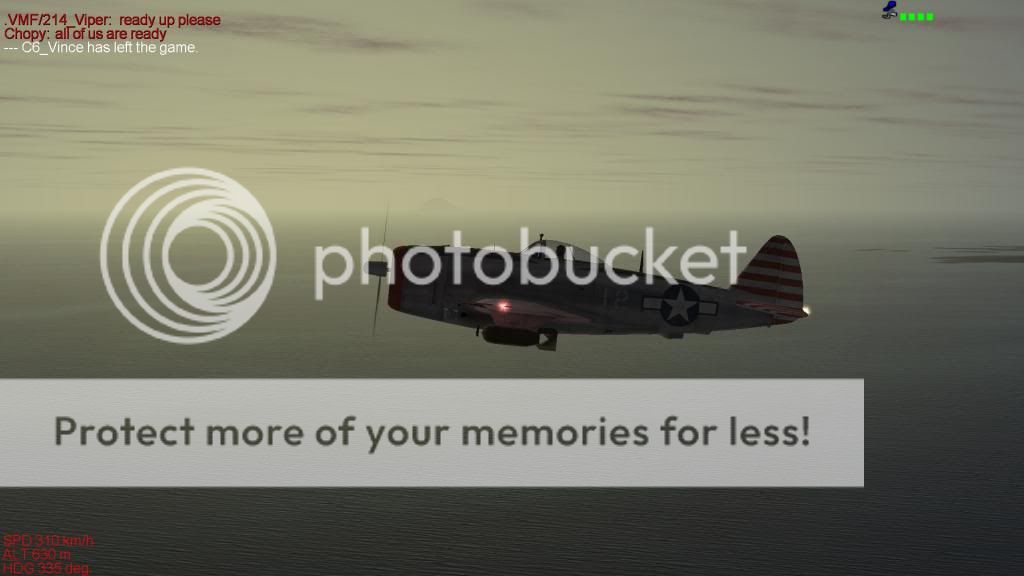 Do you see Saw Edges??? I do, it's very annoying and it is at 1920x1080 resolution  Now, this one is with nice 8x CSAA Antialising (difference is quite noticeable): 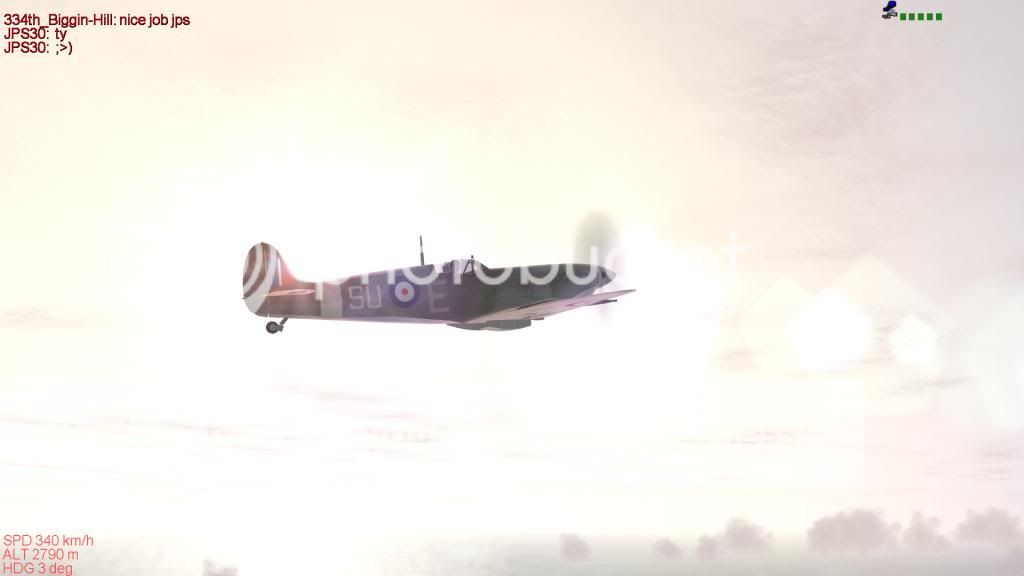
Last edited by SuperEtendard; 02-22-2014 at 12:13 AM.
|
|
#8
02-21-2014, 07:07 PM
|
|||
|
|||
|
I get the same results as Super Etandard on the same resolution.
|
 |
| Thread Tools | |
| Display Modes | |
|
|


 Hybrid Mode
