
|
|
|||||||
| IL-2 Sturmovik The famous combat flight simulator. |
 |
|
|
Thread Tools | Display Modes |
|
|
|
#1
 01-19-2012, 11:09 AM
|
|||
|
|||

Hi all,
This posting is almost a "copy and paste" of this thread that Scarecrow has linked and post it here again to share it with you -because I'm really,really very satisfied with this controller. -smile- And most of my inspirations to do something like this I got from this thread! So I decided it's time to open a account here to be able to answer directly if you have questions . First a video : (BTW: if you are wondering what it this thing I tilt 90° and use as a collective: A picture Tale: "Dual Thrust" or "What I did in my Easter Holiday") Short summary: I always used a MS-FFB2 for DCS-BlackSchark but I was very unhappy with the lack of buttons on the stick in DCS-a10. I switched forth and back between the Cougar and the MS-FFB2 - and this was very unsatisfying and I searched for a solution for this lack of button/lack of FFB dilemma... Finally I found it by digging up this video: http://www.veoh.com/watch/v16515202T...Cougar+FFB+Mod And after some testing... (read more about my first steps here: http://forums.eagle.ru/showthread.ph...91#post1304491) ...I was not really satisfied with the power of the FFB. 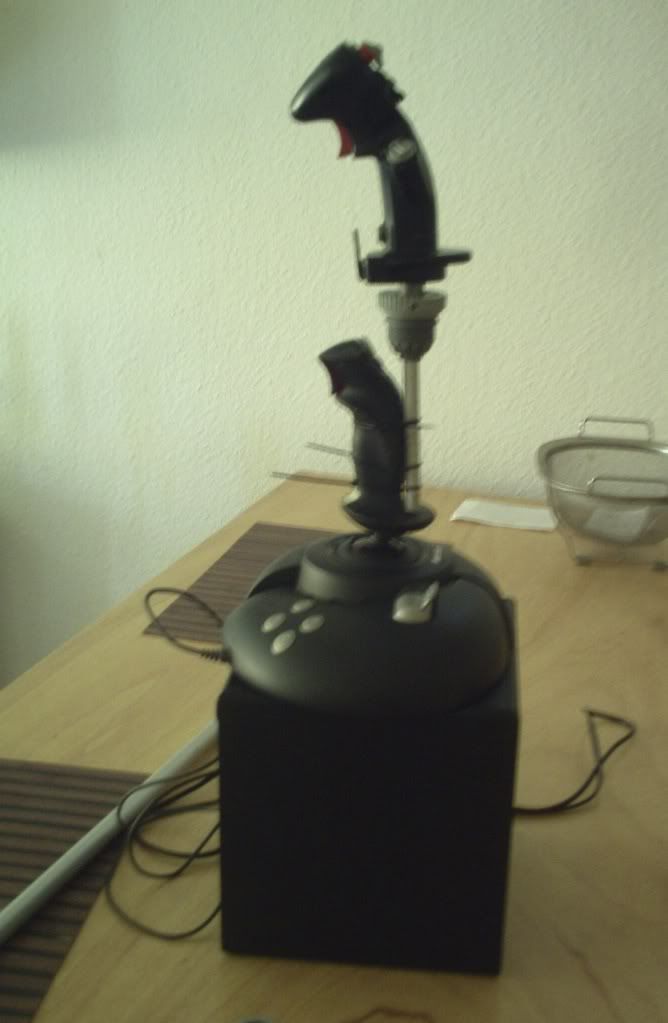 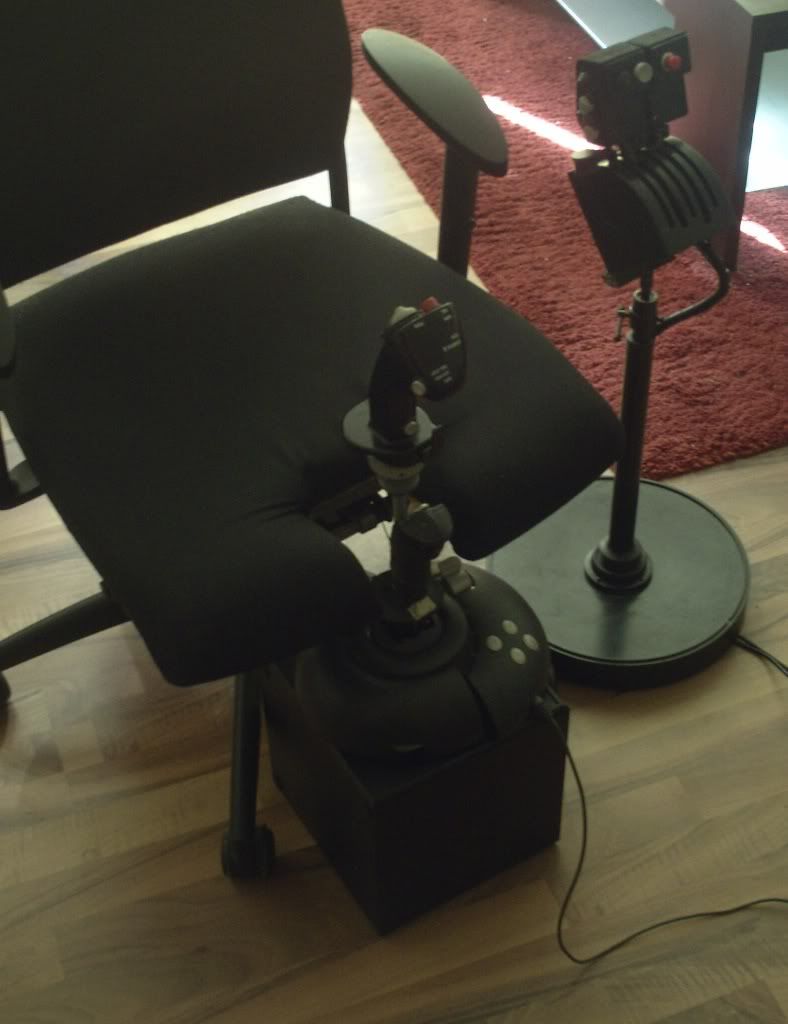 And after I opened my trusty (btw:8 years old) MS-FFB2 for the first time I saw that it might be is possible to attach a second mechanism to it to double the FFB force - so the extended handle will still be hold in place in every situation. I also found out when DirectX send a FFB command it will executed by every FFB controller you add. I found it out by moving my MS-FFB2 and saw that the Logitech FBB-steering wheel turned also in the x-axis the same as the joystick... So I bought the second MS-FFB2 (at a price I don't dare to tell... the seller didn't know what he was offering... - I gave him 10€ extra in the end...). When you plug in two MS-FFB2 - they will react in sync to a FFB command. So I realised that I "only" have to reconnect some wires of the second MS-FFB2 to sync both. - at least in DCS-Simulations. Nice -isn't it ?! So here is what I did  : :Here a some photos of the most important steps with explanation so you get a Idea what I have done. They are not meant to use as a manual and there is no chronological order (!) - it's just how I did it...  There are also some steps missing (I just didn't took pictures) Using the methods / circuits / components / constructions as described in this document is entirely at your own risk. If you damage your PC / Joystick / Keyboard / Yourself by any of the things I wrote down in this document, it’s NOT MY FAULT. !!! Snapper reported some problems in IL2 - The both FFB don't work in sync using my method. He will try a different approach using only one FFB circuit board to drive all four motors: Read more about it here: http://simhq.com/forum/ubbthreads.ph...ml#Post3507325 So If you want to build something like this yourself: ask me - and I will try hard to answer! I use a old bass-box of a old 2.1 sound system as casing for the stick. 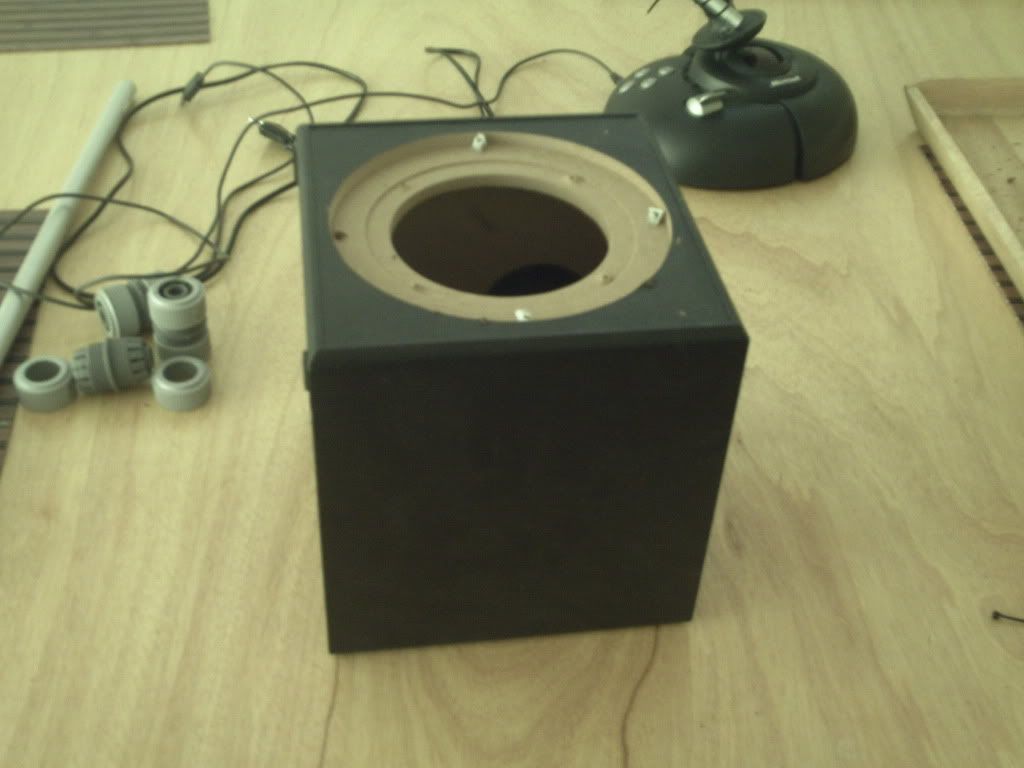 The dismantled FFB mechanism of both MS-FFB2's 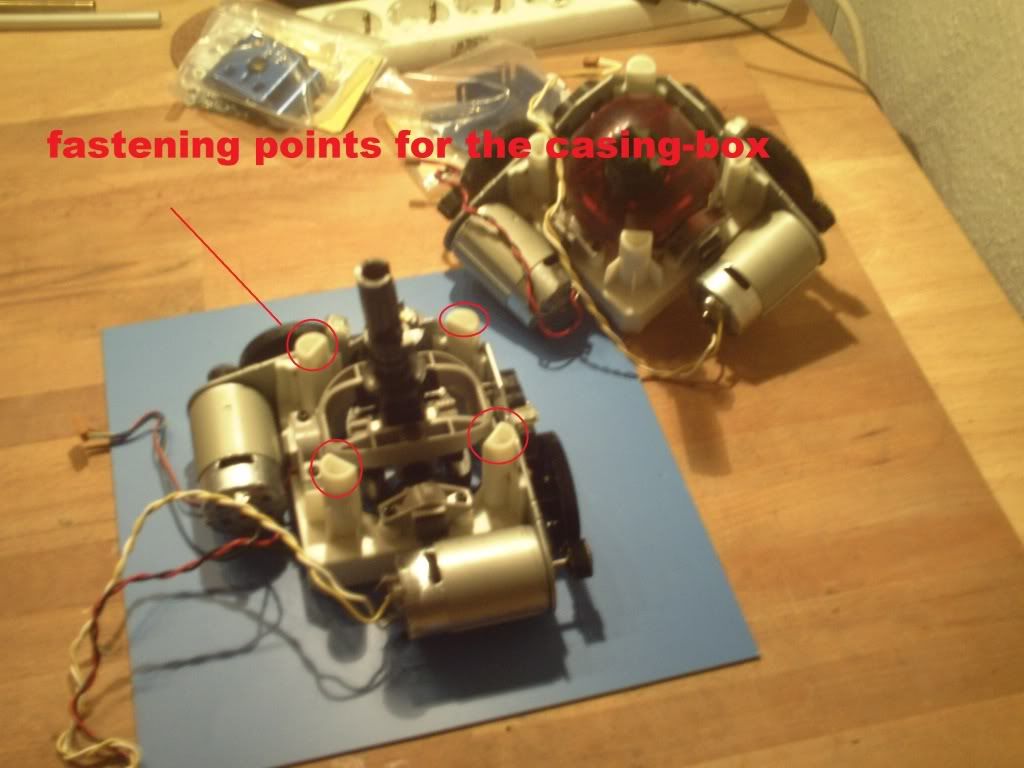 A look inside the casing (bass-) box: 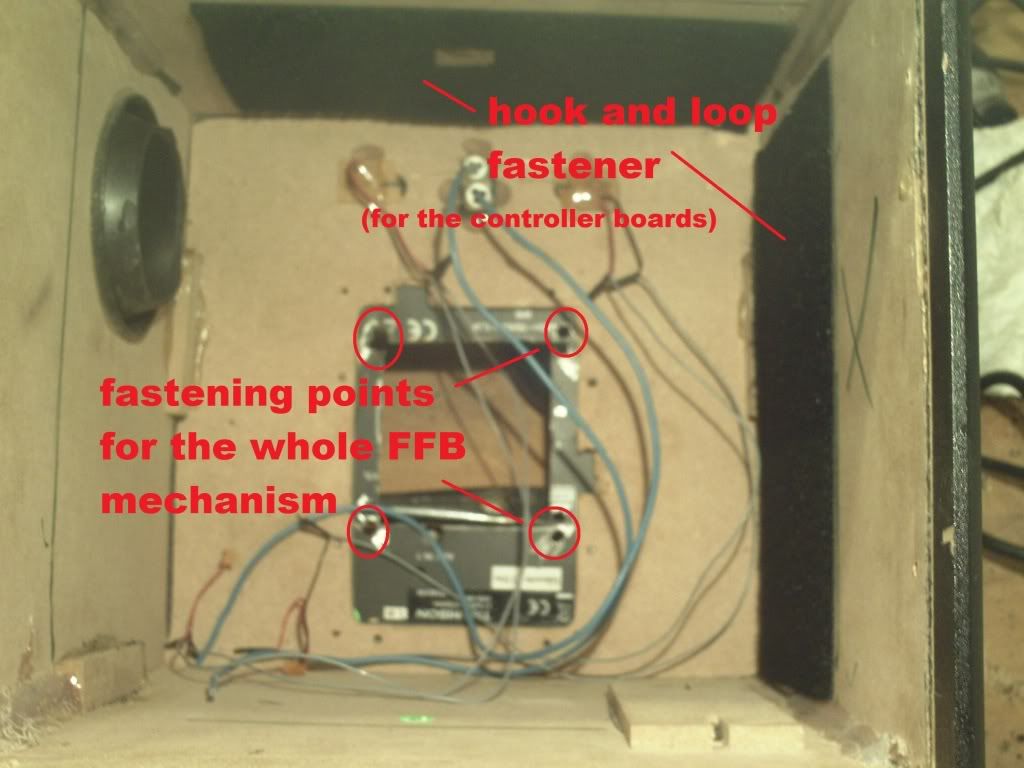 The overall dimensions: 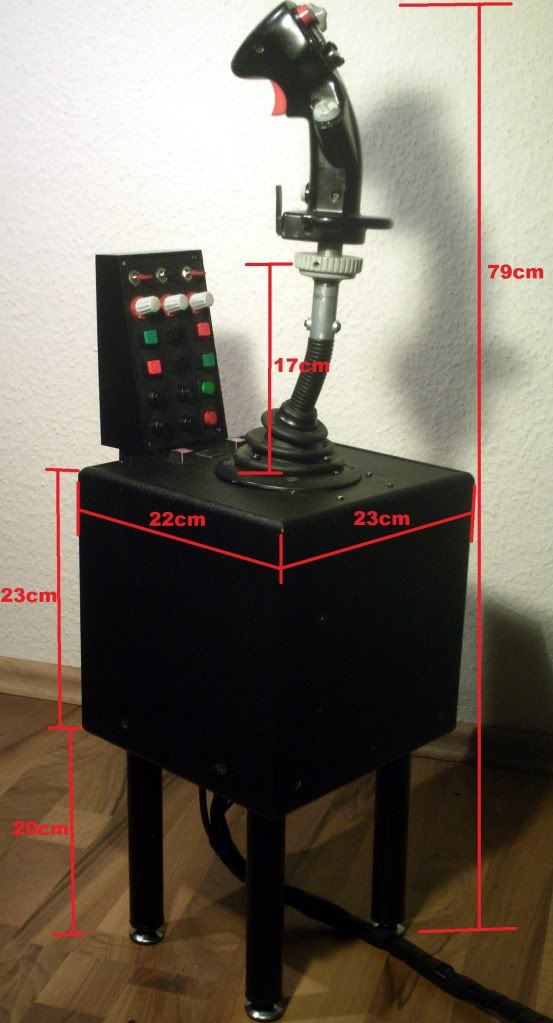 Here you can see how I attached the switch-panel (I used a unused part of the saitek throttle quadrant - that I use as a dual-trust controller) : 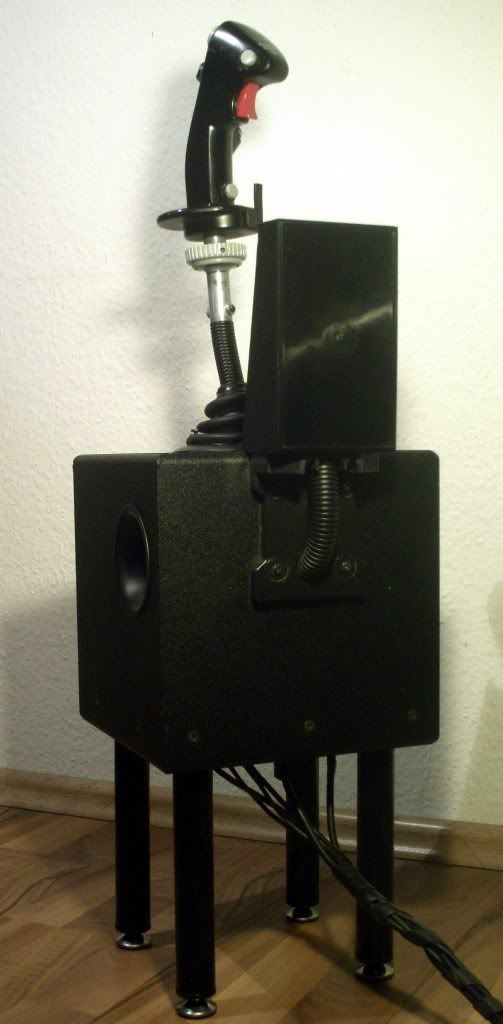 Here is the stick in front of my (also) modified office-chair: 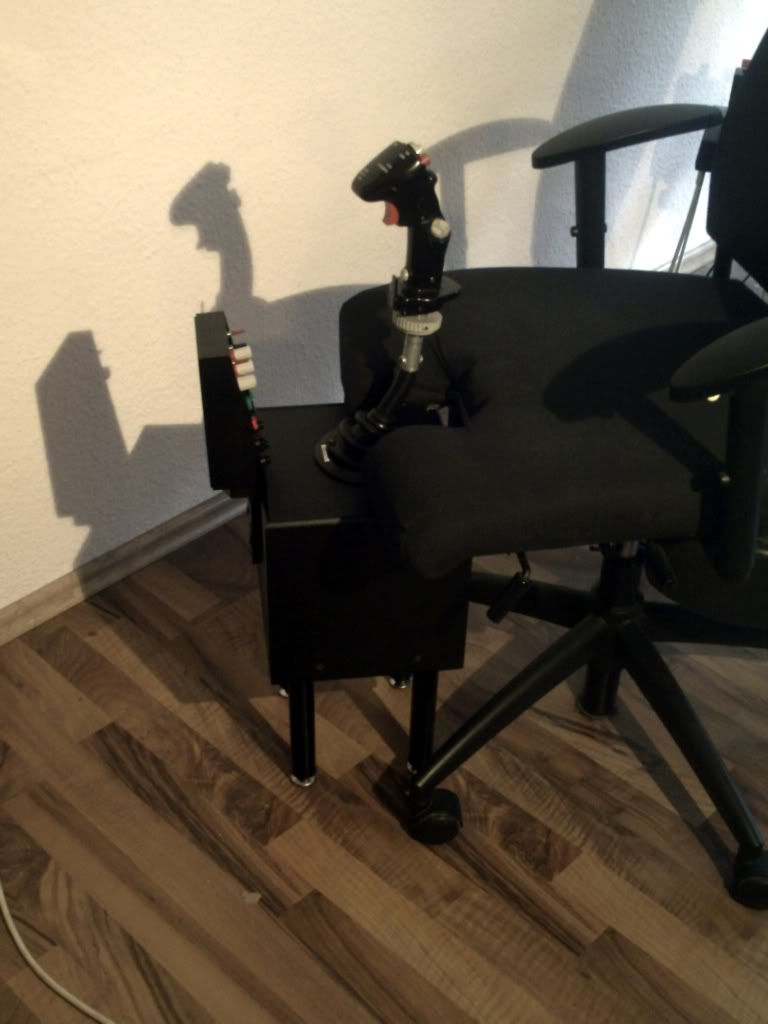 The switch-panel that is driven by the buttons of the two MS-FFB2's 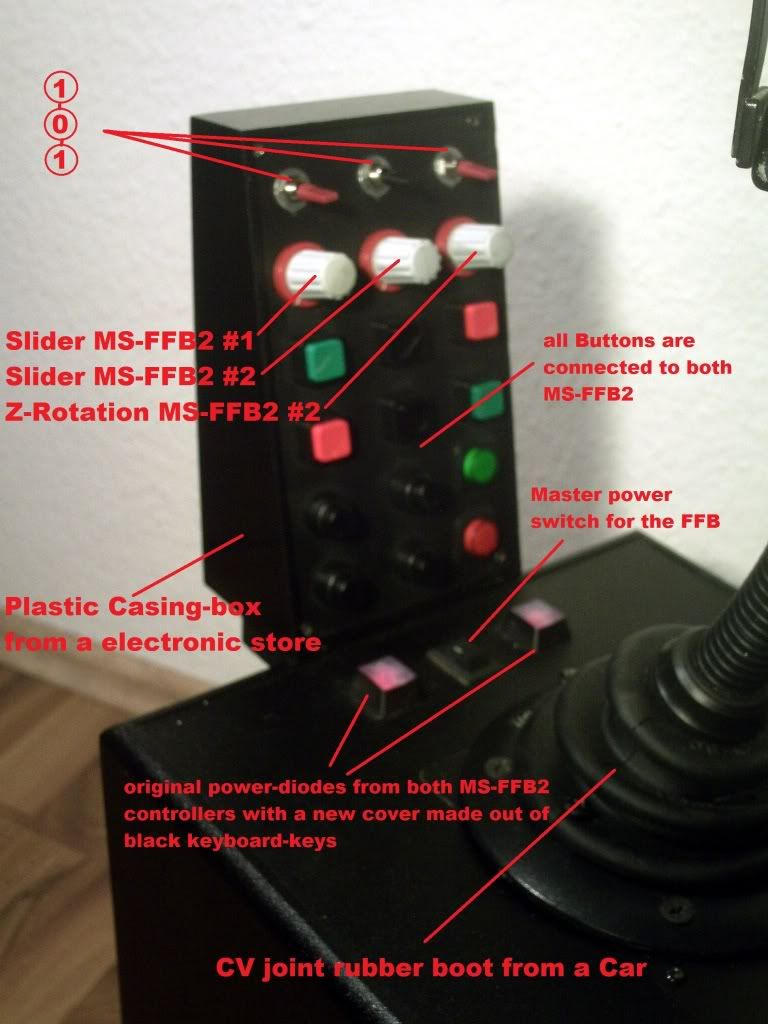 Soldering... 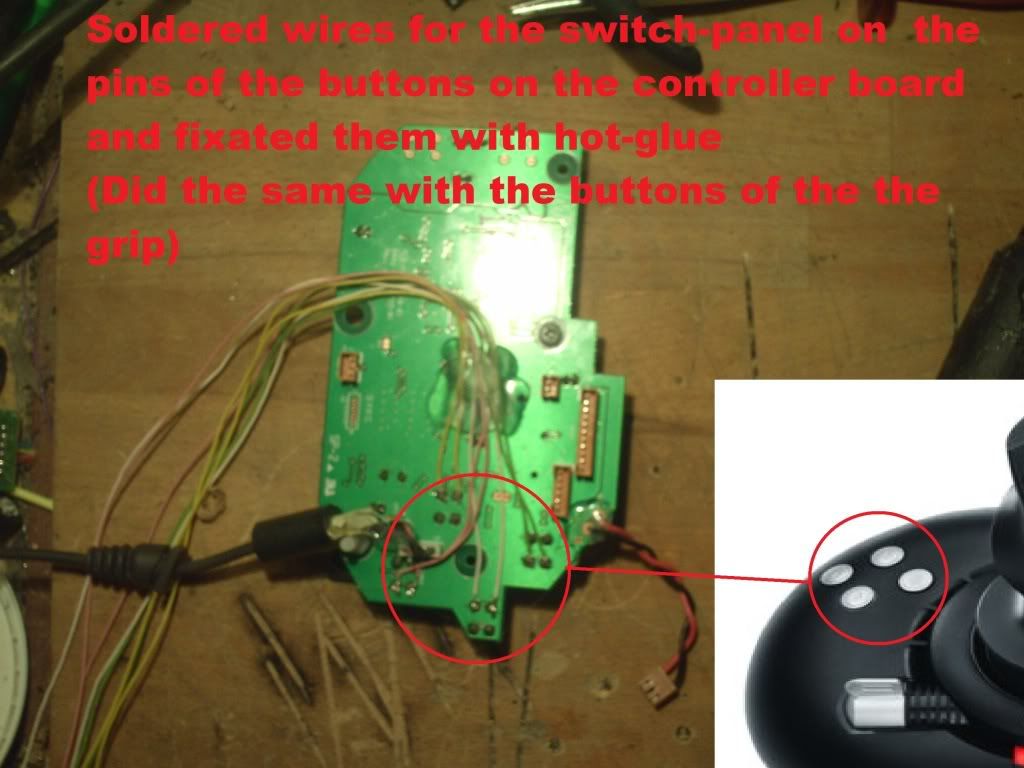 ...even more soldering... (I hate this kind of work!  - but it is very important to do it clean with concentration! ) - but it is very important to do it clean with concentration! )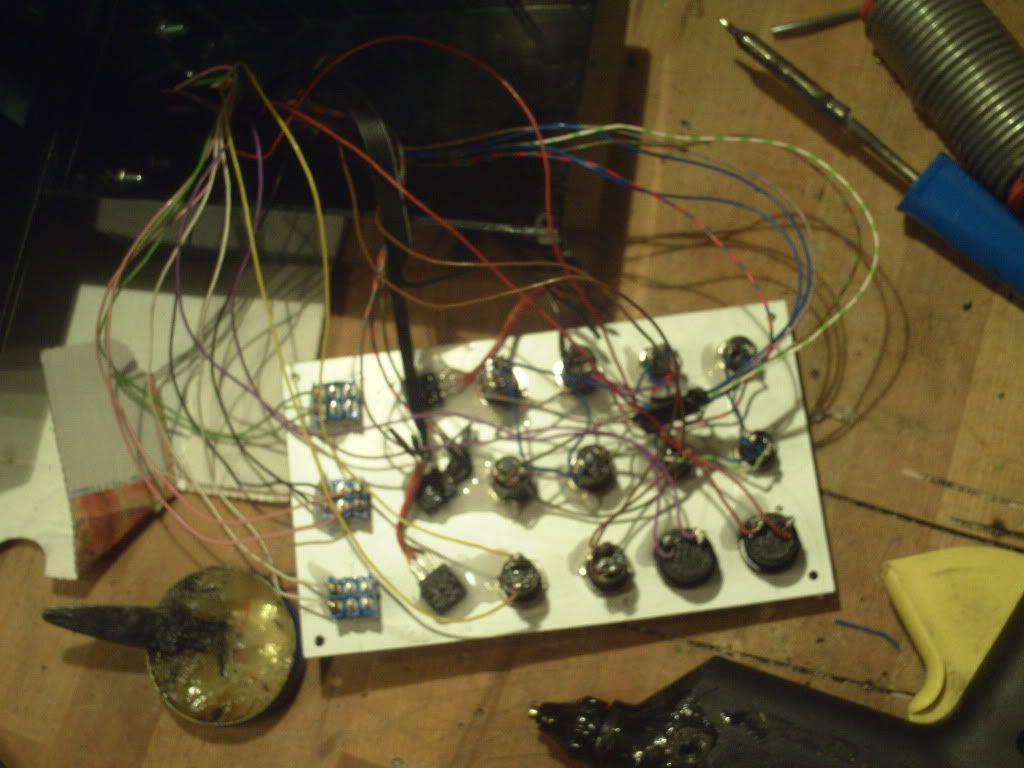 Both FFB mechanism joint together : 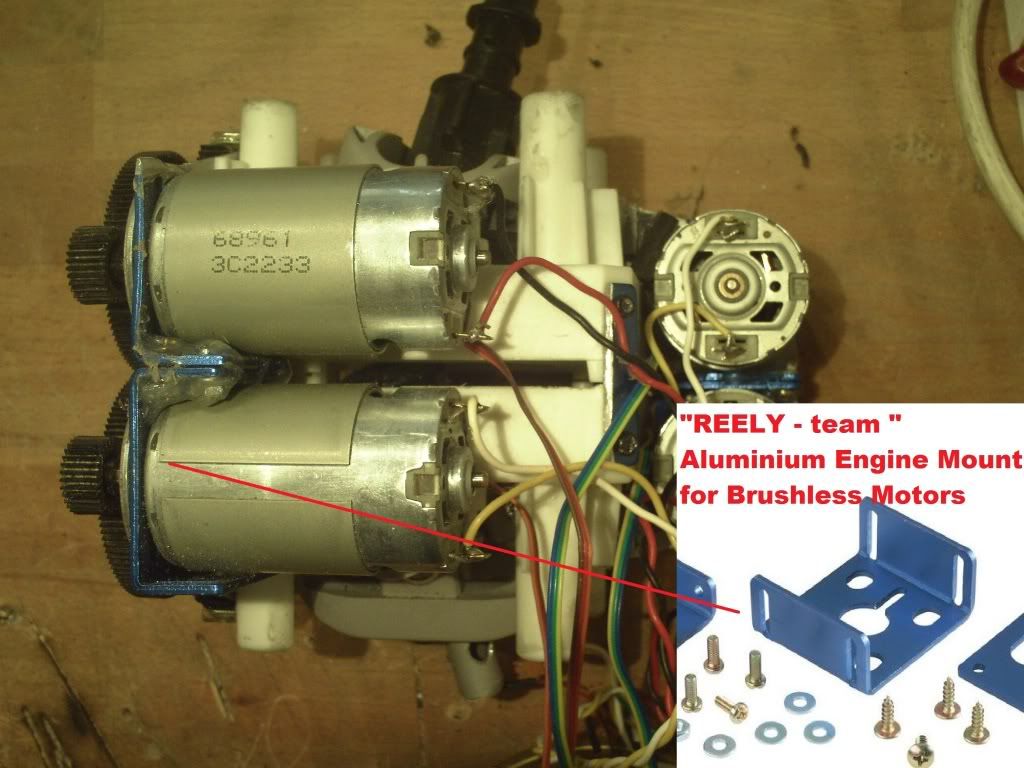 Link to the Motor-Mountings: http://www.conrad.de/ce/de/product/2...SHLESS-MOTOREN They just fit perfect and assure that the gears are already in the right distance! 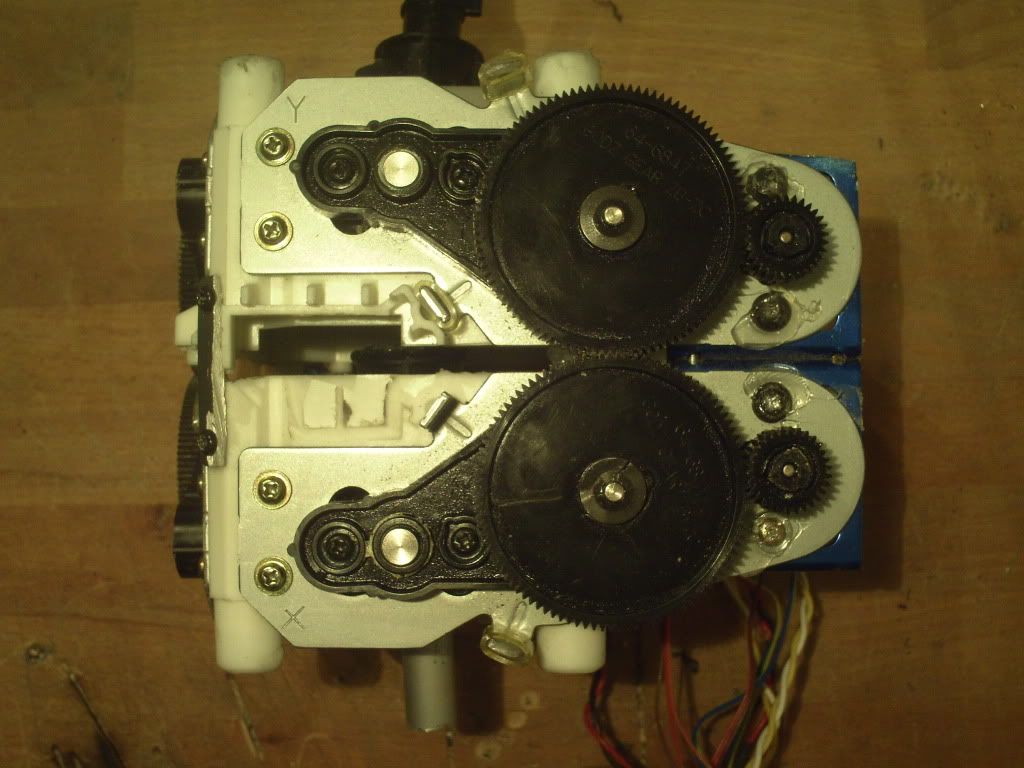 View it from each side: 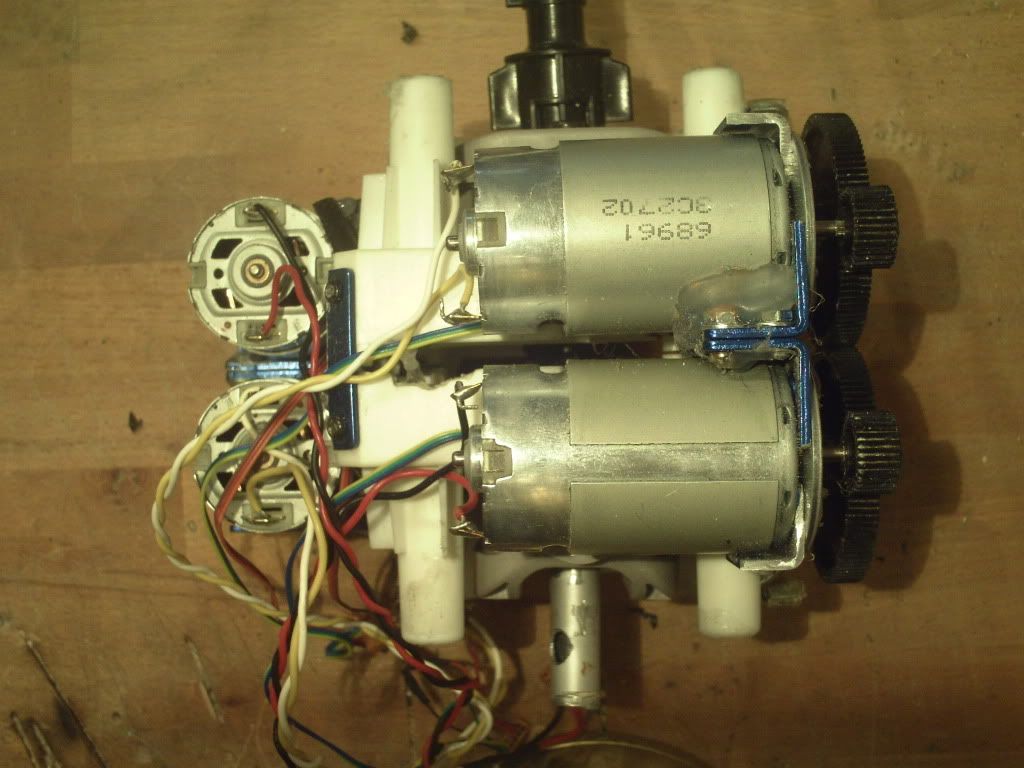 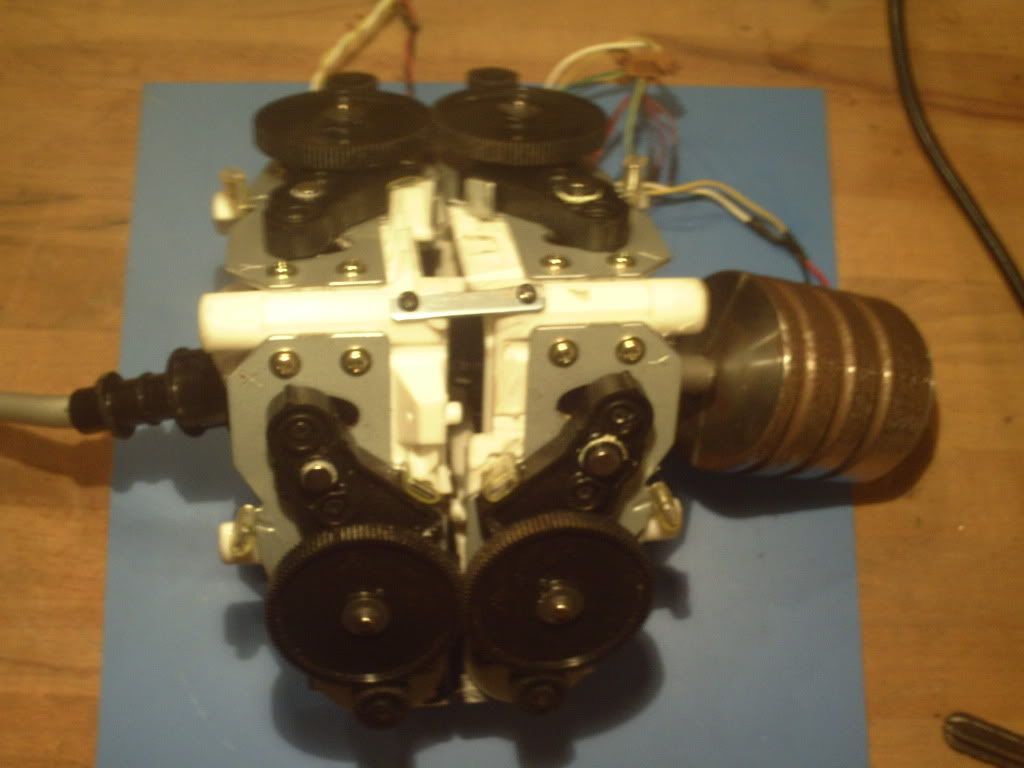 The baseplates came in handy... : 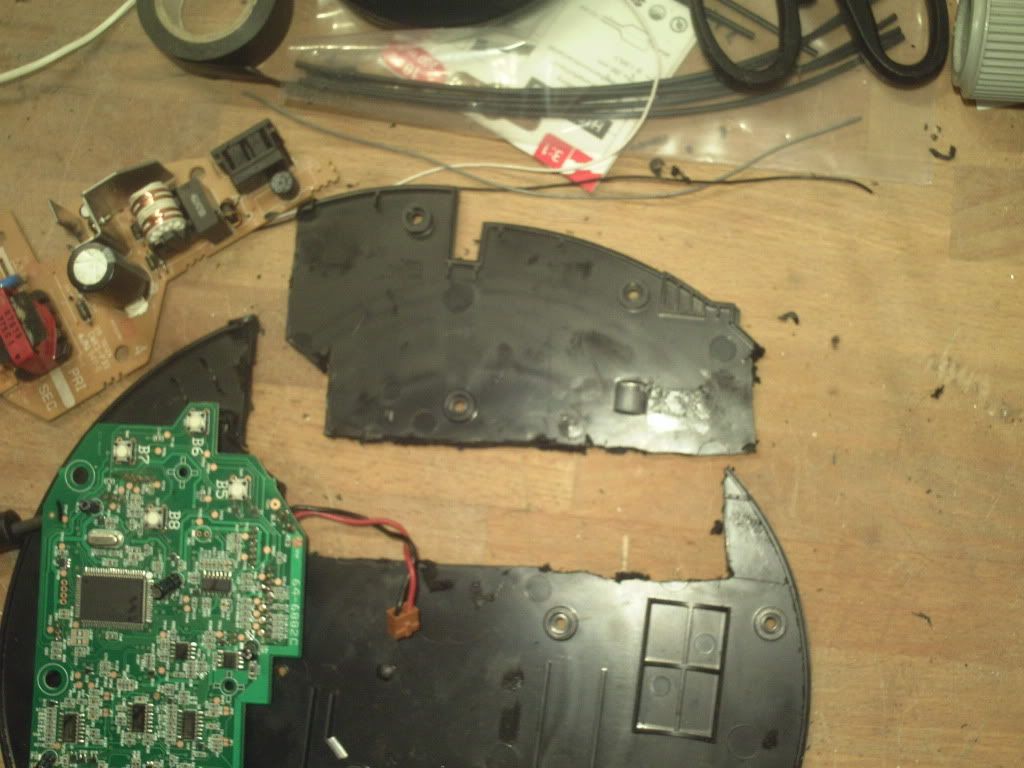 How I solved the "no more room for tools left inside the box" problem: 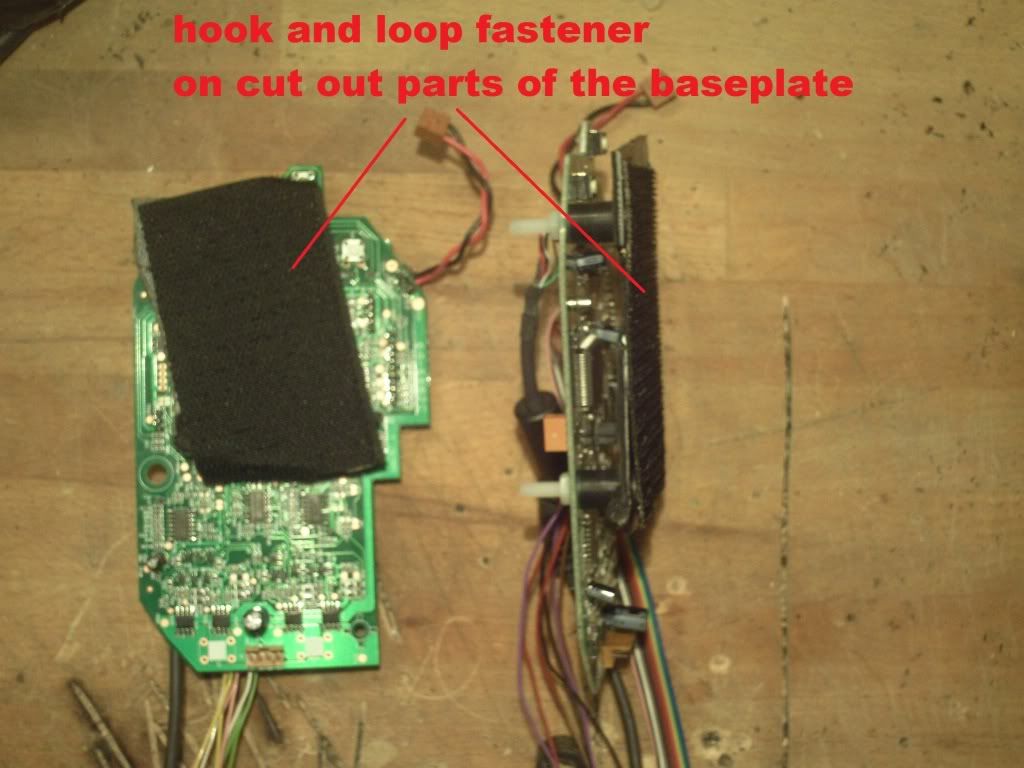 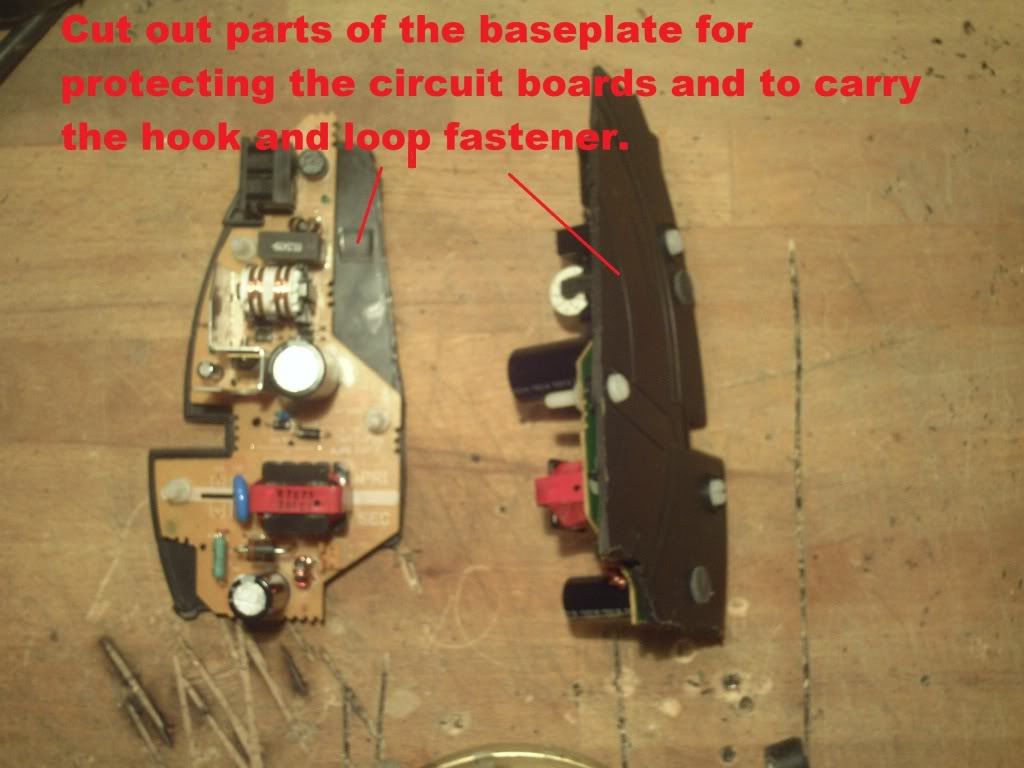
Last edited by Peter_P; 01-31-2012 at 08:47 AM. Reason: Snapper findings 
|
|
#2
01-19-2012, 11:10 AM
|
|||
|
|||
|
Here you can see what holds every thing in "balance" and helps the motors to hold the heavy stick in place :
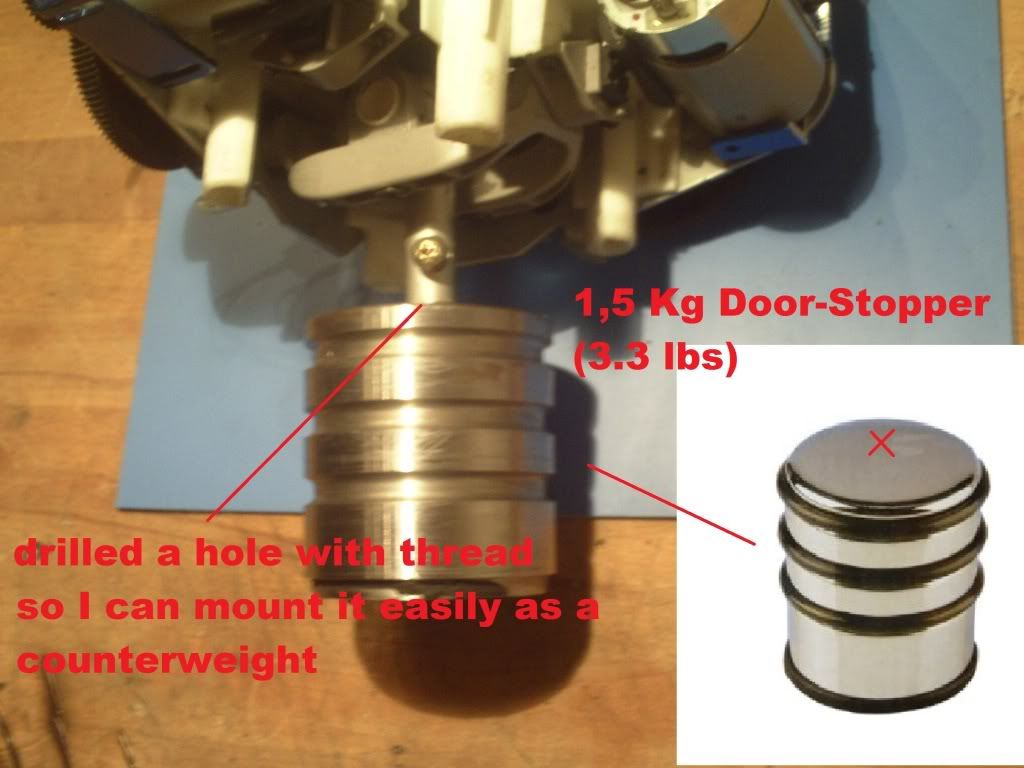 Tip how to calculate the needed counterweight: 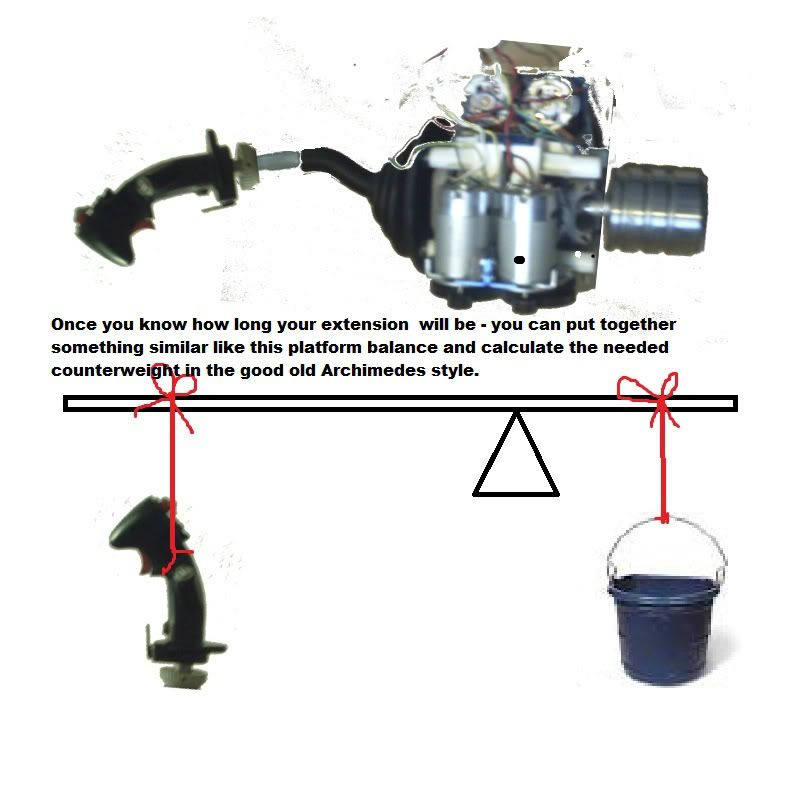 That is tight....and chaotic! (don't worry... - I haver already taped everything together and the gears are not distributed by the wires - but don't have a picture.) 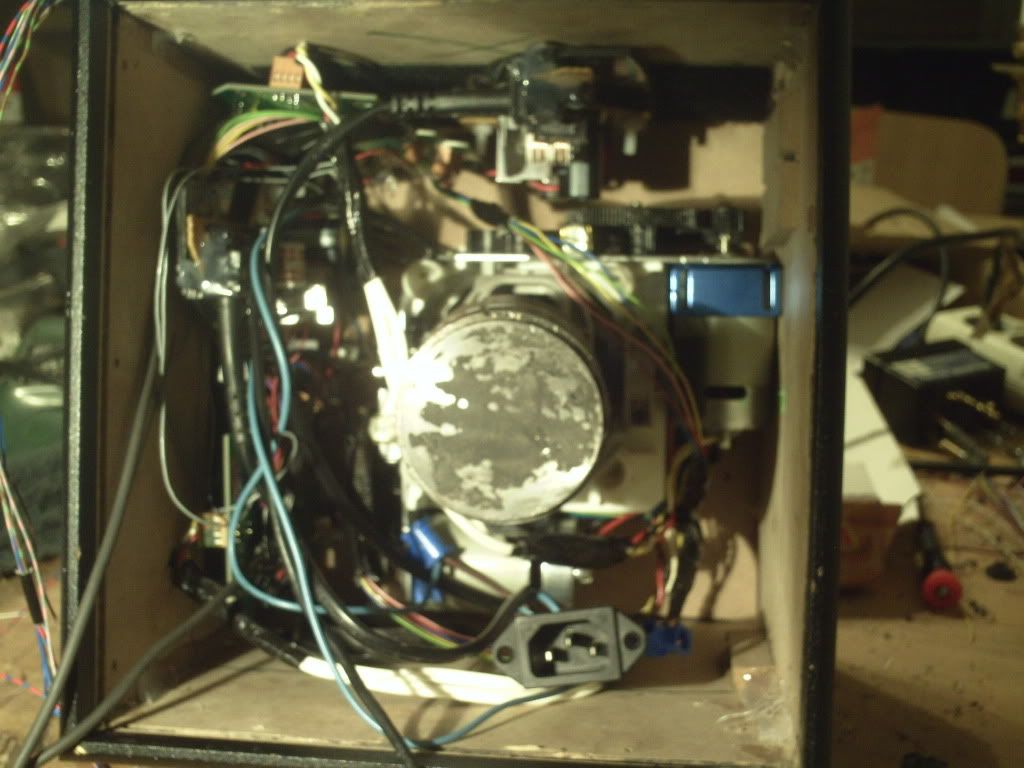 almost forgot .... 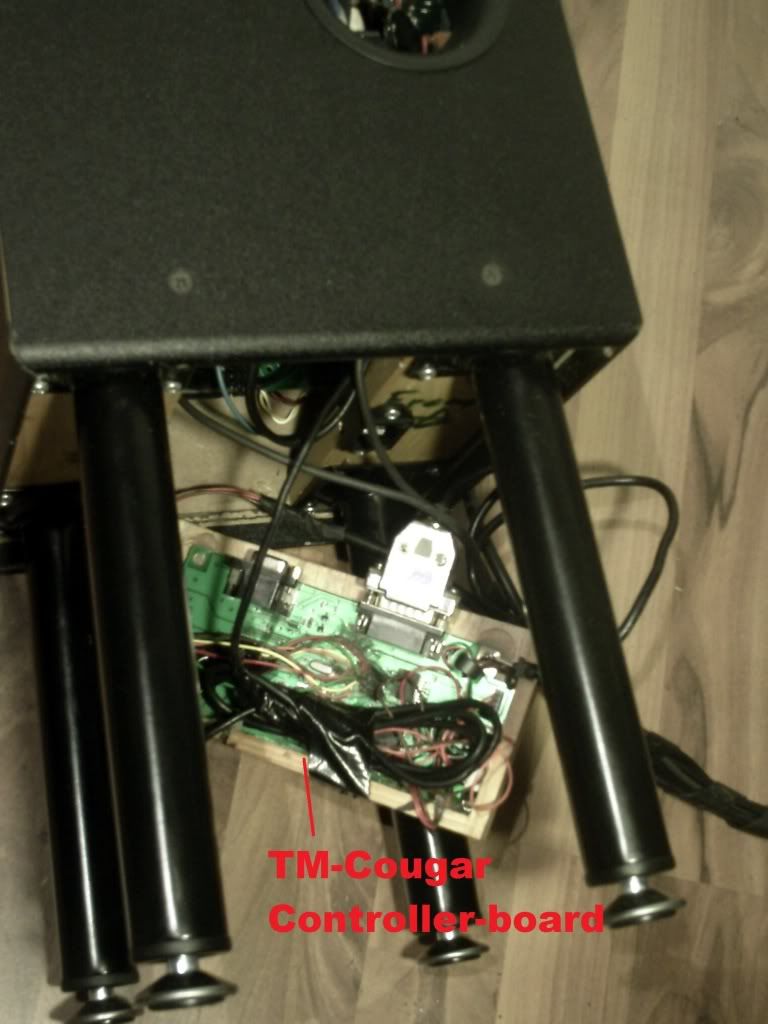 But It just fitted !!! ( the controller board of the TM-Cougar is behind the wooden plate in the middle) All held reliable together by Velcro! From the board goes a 5-pin cable through the FFB mechanics, to the s-shaped tube, into the metal joint of the TM-Cougar that connects to the cougar grip. 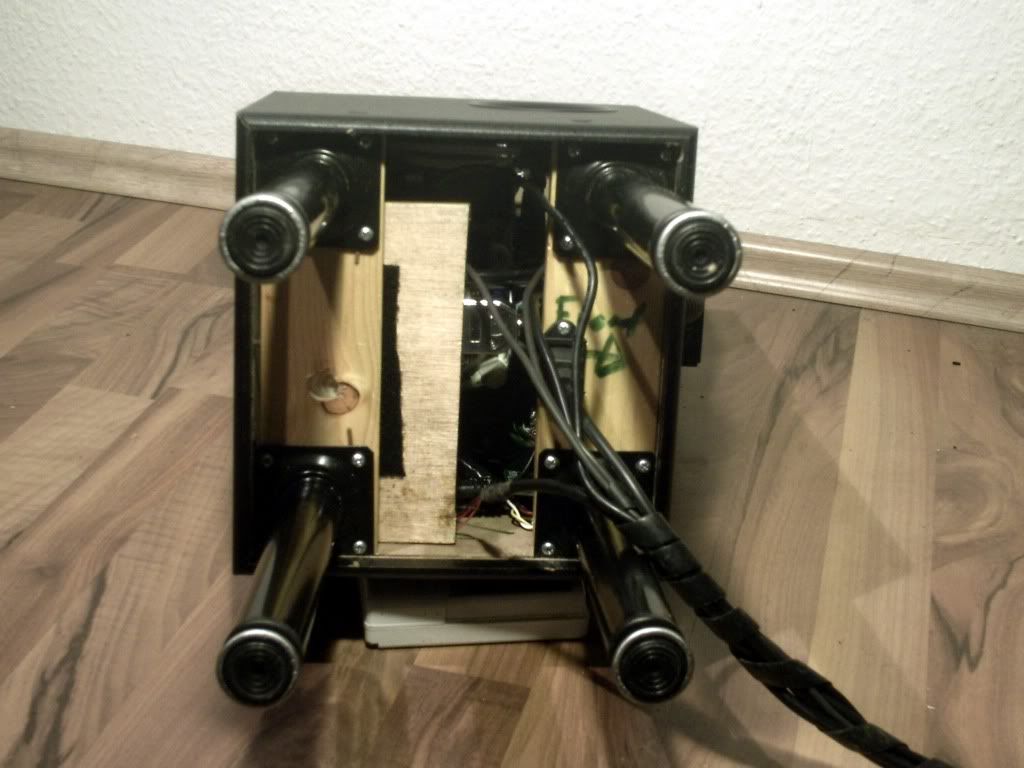 Scrapyard ...!: 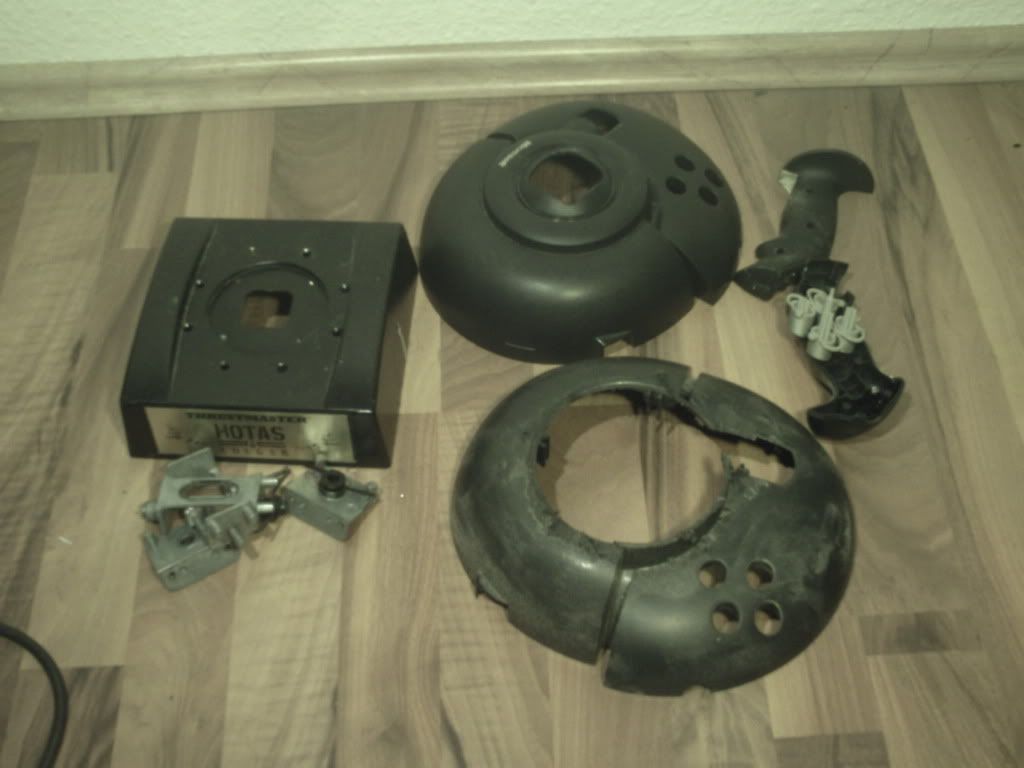 Very Important thing: 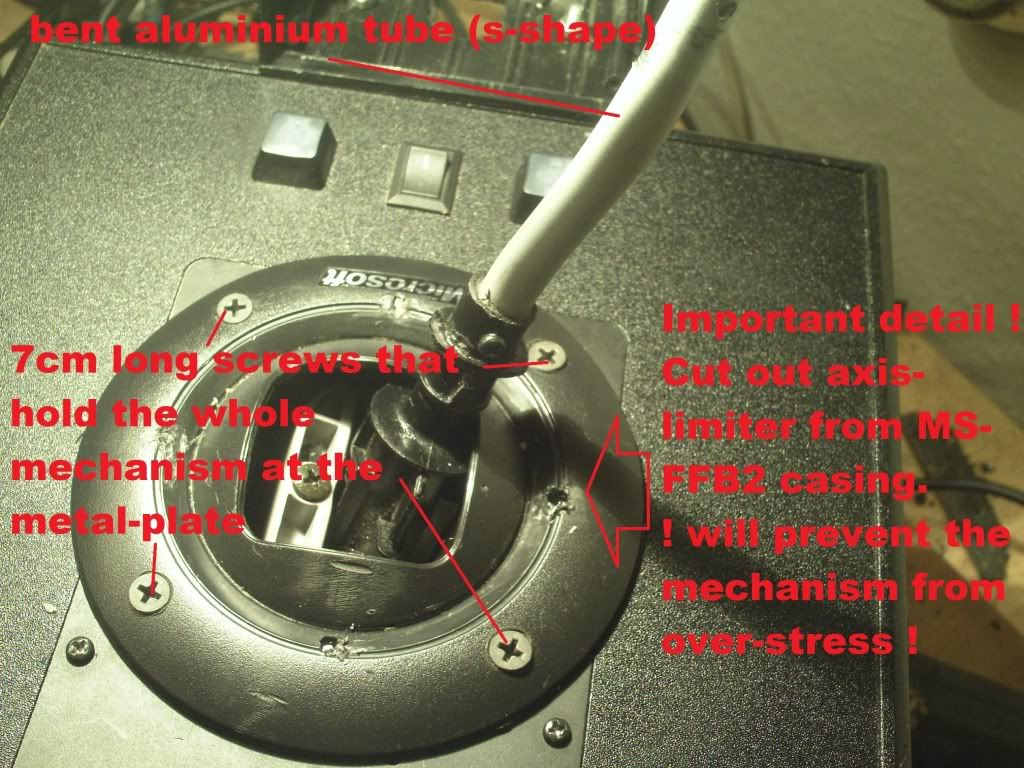 Very important but isn't shown: To make both MS-FFB work together in sync you have to mirror the X and Y axis of the second (the lower one) FFB-Mechanism. That means you will have to swap the cables for both potentiometers and also swap the cables for both motors. (what is connected to + has to be connected to the - ). Potis for X/Y axis : swap the brown and the orange wire(leave the red one as it is) and also connect x to y and vice versa. - do the same with the wires for the motors. And I also extended every wire so I could connect everything back together in the end. I also used hot-glue/lock-tight on every screw/nut - so It can't get loose when the motors vibrate. The controller- boards are simply hold by hook and loop fastener sticky-pads - so It is easy to maintain (If needed) and so it was easy to put them inside the box. As you can see - there is no more room left (not even a screwdriver ) - so Velcro was the best and only solution. In DCS I only have asigned the x/y axis of the upper MS-FFB2. Edit: Before this question(s) arise again I will post a PM conversation: Quote:
Last edited by Peter_P; 01-29-2012 at 09:37 AM.
|
|
#3
01-24-2012, 09:13 PM
|
|||
|
|||
|
That's a nice project
|
|
#4
01-25-2012, 12:28 AM
|
|||
|
|||
|
There is some great stuff in here..
Can anyone from TD possibly fix the bug that makes you loose your FFB if you Win Key or Alt Tab out of the sim? I do not use FFB in the sim because of this. I prefer to just have the stick tension rather than the whole FFB effect (ie gunshake etc.. ) and if you turn off FFB in the sim you still get the stick tension FFB which IMO is better than any spring, you just don't get the other FFB effects like buffet etc.. As it is now if you turn on FFB in the sim you get the full FFB effect. Gunshake, stall shake etc .. and the normal stick tension that comes when you block the sensor.. but if for any reason your sim minimizes .. when you bring it back you completely loose your stick tension forces. The Gunshake and stall shake is still there but the stick tension is completely gone making it very difficult to fly. IIRC it wasn't always like this. As I said now if you turn off FFB in the sim you will not get the gunshake and stall shake (naturally since you turned off FFB) but you will get full stick tension and it will remain even if you minimize he window and bring it back up. You will also still get tactile input from the sim in that if say for instance you have a damaged wing.. you will feel the difference in responsiveness from one side to the other .. you just wont feel the other FFB effects (again naturally because you turned them off..) .. So it seems the sim is talking to the stick with input whether you have FFB selected or not .. but for some reason, if FFB IS selected as soon as the sim minimizes and comes back you loose the FFB stick tension only. All the other FFB effects are still there. Also .. while the sim is minimized and you are at your desktop .. you will still have stick tension .. it is only when you bring the sim back up to the screen that you loose the stick tension. It still does this in 4.11 .. Perhaps if you guys could look at the code you can find a solution to this.. I am sure there are dozens of FFB users who would be grateful. I know I would .. If this was fixed I could used FF Edit to turn down the gunshake forces to a minumum.. but leave all the flight forces in tact.. Last edited by Bearcat; 01-25-2012 at 12:31 AM.
|
|
#5
01-25-2012, 11:58 AM
|
||||
|
||||
|
Seconded.
__________________
LEVEL BOMBING MANUAL v2.0 | Dedicated Bomber Squadron 'MUSTANG' - compilation of online air victories
|
|
#6
02-01-2012, 06:14 PM
|
|||
|
|||
|
Thirded.
|
|
#7
02-09-2012, 12:48 PM
|
||||
|
||||
|
Peter_P, I Love your controller! If you have more info on how to drive 4 motors with one board, I hope you will post it in this thread. In the mean time I'm gonna think about buying an extra MS-FFB2 and start planning on building my own. Thanks!!
__________________
Insuber said: 1% of facts, 35% of passion, 19% of testosterone, 50% of intellectual speculation = Il2 fan cocktail is served, better with a drop of Tobasco ...
|
|
#8
02-13-2013, 07:16 PM
|
|||
|
|||
|
Quote:
A laptop or other regulated power supply would do. Make sure it's regulated though, most wall warts deliver higher voltages than they're supposed to, with a very shaky quality as well.
|
|
#9
02-17-2013, 03:27 AM
|
|||
|
|||
|
Quote:
Does anyone know what voltage it supplies ? It must be standard with these boards.
|
|
#10
07-24-2013, 08:58 AM
|
|||
|
|||
|
Quote:
The PSU voltage is 24 volts, as it turns out.
|
|
| Thread Tools | |
| Display Modes | |
|
|





 Hybrid Mode
