
|
|
|||||||
| Gameplay questions threads Everything about playing CoD (missions, tactics, how to... and etc.) |
|
|
Thread Tools | Display Modes |
|
#3
 11-24-2012, 06:38 AM
|
|||
|
|||
 New Info Windows
If you have no "New Info Window" showing you must right mouse click on the monitor screen when in the game, and select it from the list.
When you have a New Info Window showing, you must then hold down an Alt key on the keyboard and left mouse click onto it, to activate it. Then while still holding down the alt key, right mouse click on it to bring up customization. Note you can drag move windows when "activated". 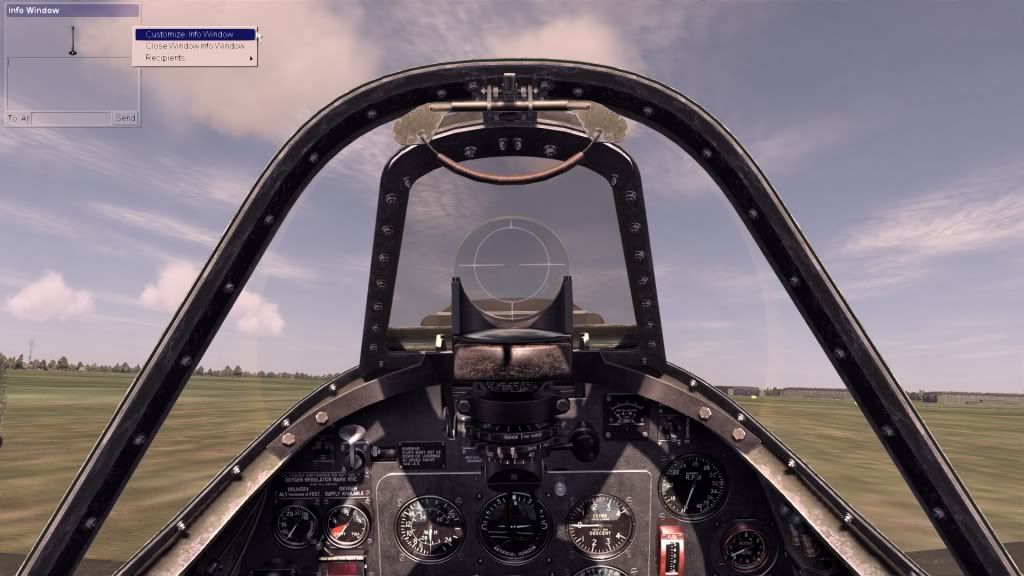 When you achieve this, you can then use the interface to customize the Info Windows in many ways. As you can see, here is the throttle display (Engine Info) / (Analog) slider being set to be shown in the chat window with it's border and such showing. 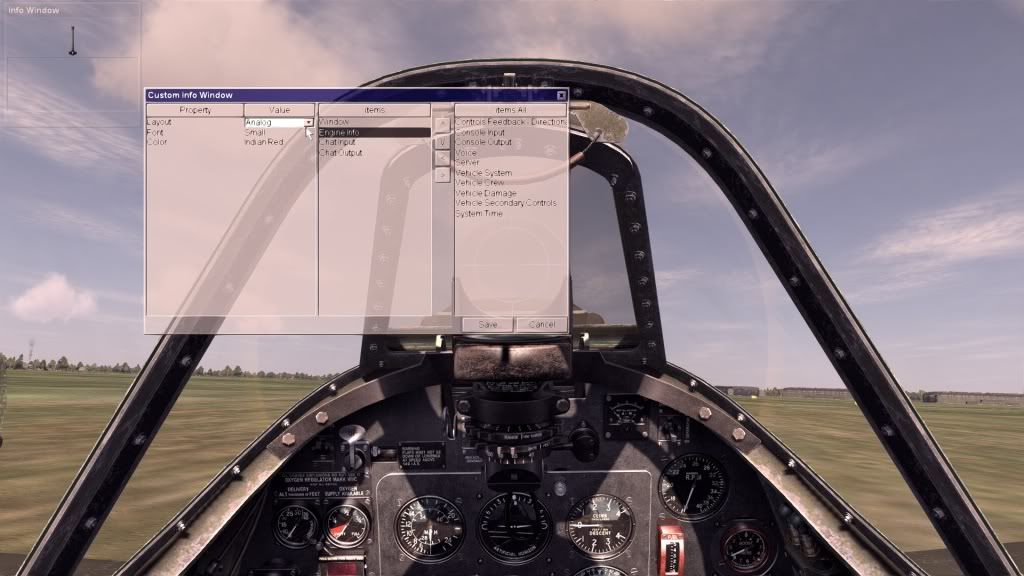 Here is some more of this information as presented in the Technical FAQ : 5. Q: I am seeing a gray rectangle in the upper left corner of the screen. A: You have created a new Info window. These highly customizable windows allow you to set up your own user interface in-game. Due to the fact that the game also features clickable cockpits, our solution to having distinct clickable elements that possibly overlay each other is making the cockpit elements selectable with a regular left-click, and the interface overlay windows selectable with an alt-click. So, simply alt-click the grey rectangle to select it, and then either move it and resize it, right-click to customize it, or right-click to close it. This can also be done with all standard interface elements, including no-cockpit gauge overlays. Or you can right-click anywhere on your screen and add new Info windows to your interface layout. 5-A. Q: I did all that, but Closing the window does nothing. A: We have as of now seen two users who created 52 and 82 overlayed info windows respectively. If you are closing a window and it does not disappear, it probably means that you have multiple Info windows stacked on top of each other. If you do not wish to manually close each window, you can edit them out of a config instead. All the Info window settings are stored in the [ChatWindow] section of (Documents)\1C SoftClub\il-2 sturmovik cliffs of dover\confUser.ini Our standard interface has 5 elements numbered 0 through 4 and titled "Motor Controls", "Secondary Controls", "Info. Window 1" (no title is shown for this one in game), "Voice", and "NetStats" If your ChatWindow section looks to have a lot more than these 5 sections, simply delete everything past the lines numbered 4: and save the file. Be aware some of this may have changed during the last official patch. Good Hunting, ~S~ 
|
| Thread Tools | |
| Display Modes | |
|
|


 Threaded Mode