
|
|
|||||||
| Technical threads All discussions about technical issues |
 |
|
|
Thread Tools | Display Modes |
|
#191
 11-18-2012, 03:14 AM
|
|||
|
|||

Interesting ... I see absolutely no difference on my side!
 hum... ON oFF same thing.. hum... ON oFF same thing..
Last edited by GOZR; 11-18-2012 at 03:21 AM. 
|
|
#192
11-18-2012, 02:53 PM
|
|||
|
|||
|
No probs clivewil, have fun.
Klem, the colours are the same in both SweetFX settings files, but the SMAA anti-aliasing is set to Ultra (instead of whatever the default was) in the latest package found here - http://forum.1cpublishing.eu/showpos...&postcount=141 I couldn't see any difference between the default and Ultra SMAA settings myself, but thought I'd leave the Ultra settings in anyway. I didn't check if it lowered frames per second either. There's no actual guide for tweaking the different effects that I know of, everyone seems to have just switched things up and down and on and off and found their own way through. That's not difficult to do, but it would be hard to make a guide for it as there are so many variables and different combinations that could be used to reach the same end. It's probably also dependent on the game you're adjusting. In Cliffs Of Dover for example, if you try to lighten up the cockpit shadows, you also lighten up the landscape shadows and probably the cloud and reflection surfaces too, so you have to make compromises and decide which details you want to lose. In the SweetFX 'Tonemap settings' all three of these parameters will adjust the brightness in a different way, as will some parameters in the other settings categories - #define Gamma x.xx //[0.00 to 2.00] Adjust midtones #define Exposure x.xx //[-1.00 to 1.00] Adjust exposure #define FogColor float3(x.xx, x.xx, x.xx) //[0.00 to 1.00, 0.00 to 1.00, 0.00 to 1.00] With my 'Neutral6' settings, my priority was to make the daytime landscape colours look more natural overall by getting rid of the default yellow-green haze (without introducing a noticeable colour tint elsewhere), while making sure I didn't lose any highlight details in the clouds or reflective surfaces. I played around with all the settings, but for effective colour and brightness adjustments, all I needed to use were the 'Technicolor' and 'Tonemap' settings. The other settings categories were just good for making extreme special-effect-like changes or for doing the same thing I was doing anyway with just the 'Technicolor' and 'Tonemap' settings. The procedure I followed was to go through every parameter and check it's positive and negative range, then see how they interacted with each other. These are some of the things I would check for whenever I made an adjustment - Cockpit shadows, cockpit highlights (seen on the surfaces where the paint is flaking for example), cockpit colours (coloured knobs and display panel surfaces for example), external plane shadows, external plane highlights, external lettering and decal colours, blue sky colour, horizon colour and brightness, cloud colour and brightness, general terrain colour and brightness, tree and forest darkness (mainly due to brightness of their shadows)...all of these things needed to be balanced according to the priorities I'd set (naturalistic mid-day colours without blown highlights). Then it was a matter of changing the time of day to see how well the changes held up as it got darker in-game. Which is to say, checking to see at what time it would be better to simply switch the SweetFX adjustments off and use the default colours. As it was, I thought the 'Neutral6' settings gave a pretty good range of useability (7am - 5pm?), so decided to put them out there for others to try (and adjust as they see fit). GOZR, which utility are you using, the 'SweetFX' or 'FXAA' one, and is it from the link I included in this post? Last edited by Les; 11-18-2012 at 03:09 PM.
|
|
#193
11-18-2012, 05:43 PM
|
|||
|
|||
|
Les.. the SweetFX .. I'm doing something wrong and it's very simple of use..
It is important to be careful with colors tone.. every monitors are calibrated differently something car appear blueish in one may appear greenish in the other. So the colors have to be pretty ok in a mid range good for all. This is why in many game contrast/ brightness colors can be a bit dole. Les also I wonder about this" SweetFX on it's own doesn't work with 64-bit executables."
|
|
#194
11-18-2012, 08:28 PM
|
|||
|
|||
|
GOZR, good point about everyone's monitors being calibrated differently. It's impossible to make settings that will suit everyone.
There are some universal standards people can try to align themselves to though. In my case, I'm using a colour calibration tool to get my monitor very close (~90%) to one of the RGB standards (can't remember which one). This is what my game looks like (using my SweetFX Neutral6 settings at 9am) with my monitor unadjusted and adjusted (unadjusted/uncalibrated is the first picture and adjusted/calibrated is the second picture).   Seeing this, it's easy to understand how some people must think my SweetFX colours and brightness levels are off. I saw some screenshots from the Sukhoi forums the other day and indeed, my SweetFX settings look very different on their systems/monitors (like the screenshots above, or worse). About the "SweetFX on it's own doesn't work with 64-bit executables." comment, I think someone else said it's not a problem because IL-2 Sturmovik: Cliffs Of Dover is a 32-bit game anyway. If the SweetFX utility isn't working for you, perhaps try re-installing it without the 'd3d9' .dll file and/or the 'd3d9.fx' file, as they were causing problems with some people. Last edited by Les; 11-18-2012 at 08:30 PM.
|
|
#195
11-18-2012, 09:13 PM
|
|||
|
|||
|
A "PrintScreen" grab isn't going to show any effect of monitor adjustments when viewed on a different monitor. One would have to hold a separate camera in front of the monitor and take a snapshot to show the changes caused by [your] individual monitor calibration. Maybe there are monitors that have a separate screen-grab hardware built in, but I've yet to encounter one.
|
|
#196
11-18-2012, 11:08 PM
|
|||
|
|||
|
The monitor calibration hardware I use has a sensor that reads a set of images displayed on my monitor while the monitor is adjusted to get as close as possible to a standard or ideal profile. The monitor calibration software then creates a colour profile that can be switched on and off (and which can be captured by a screengrab program like FRAPS), similar to a colour profile created in your video-card's Control Panel software.
The pictures I posted were showing the calibration softwares colour profile being switched on and off, in order to show how different my SweetFX settings would have to be be if I'd started adjusting them using the uncalibrated image as a base, and to give an idea of how different the same settings could look on any other uncalibrated monitor.
|
|
#197
11-19-2012, 02:06 AM
|
|||
|
|||
|
Les.. "If the SweetFX utility isn't working for you, perhaps try re-installing it without the 'd3d9' .dll file and/or the 'd3d9.fx'"
Ok yes I just took off those two files and now it's working  ok now i see.. The one I places is too redish on my monitor.. I'll have to check things out.. Thanks again. ok now i see.. The one I places is too redish on my monitor.. I'll have to check things out.. Thanks again.
|
|
#198
11-19-2012, 02:18 AM
|
|||
|
|||
|
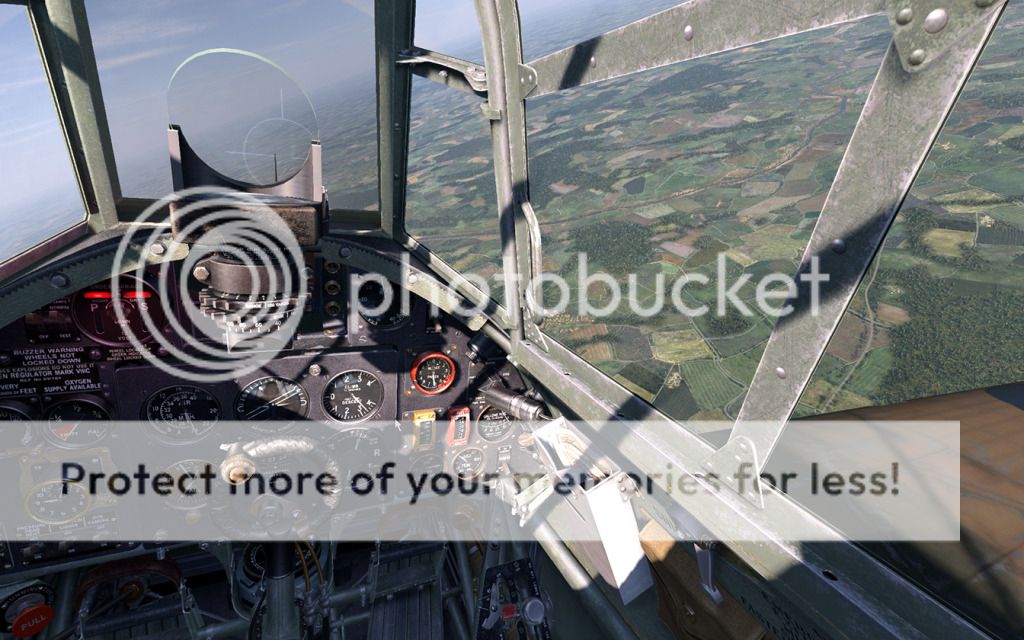
I did try the Les Neutral3 Les Neutral5 Les Neutral6 and they are all too redish.. I like the contrast .
|
|
#199
11-19-2012, 02:59 AM
|
|||
|
|||
|
Here a quick tweak
 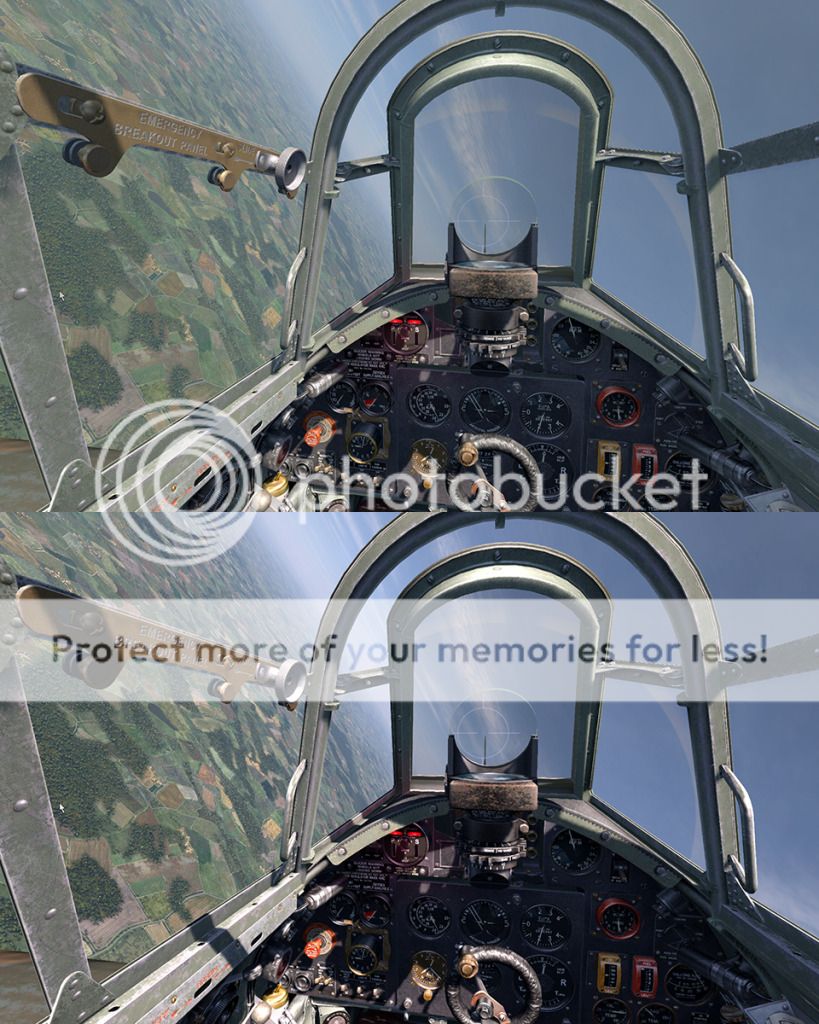 I try to refer to my real life situation.. Up there is real bright.. bright of bright and the sun should be very strong and shade should be quite contrasted . all the above Lesprefered 3/5/6 do not have enough brightness. Last edited by GOZR; 11-19-2012 at 05:10 AM.
|
|
#200
11-19-2012, 03:13 AM
|
|||
|
|||
|
|
| Thread Tools | |
| Display Modes | |
|
|


 Linear Mode

