
|
|
#1
 05-20-2012, 04:36 AM
|
|||
|
|||
 Team Daidalos 190A4 Dgen issues
Hi
When you created the FW 190A4 fully rated & derated the Stock 190A4 to the 80% throttle max an issue has been created in the Dgen campaigns as now we can only use the derated 190A4, as we cant get the 190A4 FR to operate in any Dgen campaigns. The only way this will occur is if Asura`s Dgen exe mod becomes a fully functional program or Lowengrins DCG is used. However it still doesnt help a PC novice who only wants to fly & not get into dgen alterations. A solution to this issue is to have the 190A4 FR recognised by DGEN exe as the "stock"190 & the derated 190 made the new addition. Is this possible it would mean reversing the naming of the models somehow Opinions or am I flogging a dead horse? 
|
|
#2
05-20-2012, 04:49 AM
|
|||
|
|||
|
The A-4 had always been modelled with performance trying to represent a de-rated model. This is why the fully rated version was introduced in a new slot, while the de-rated one was kept in the existing slot. This way round it is more consistent, and I don't think it is a good idea to change it.
|
|
#3
05-20-2012, 10:26 AM
|
|||
|
|||
|
Quote:
When new 190s such as the 190 A51.65ATA & the TA 152C have been introduced we have been able to incorperate them into dgen campaigns. Currently the 190A4 FR is not recognised by the dgen exe.
|
|
#4
05-20-2012, 10:56 AM
|
|||
|
|||
|
I was referring to your suggestion to exchange fully rated and de-rated versions. This would not be a good solution, as all missions prior to 4.11 used the de-rated version, and, with the solution at it is now, still are.
Adding the fully rated version to DGen is another issue, where I can't help.
|
|
#5
05-20-2012, 11:31 AM
|
|||
|
|||
|
Arrr now I am with your line of thinking.
However with the advent of 4.07 patch or the release of IL2 1946 I thought the actual derating of the 190A4 disappeared & it turned into or got closer to what it should represent. Prior to 4.07 it was a very poor machine, However I havnt flown the 190A4 FR & the derated one to make a comparison
|
|
#7
05-20-2012, 12:26 PM
|
||||
|
||||
|
Quote:
I have added the FW 190 A4FR into Dgen, it just requires editing of a few files in notepad, thats all, you can do it yourself in 10 mins. Flying in a Kuban dgen campaign (its a real killer!), 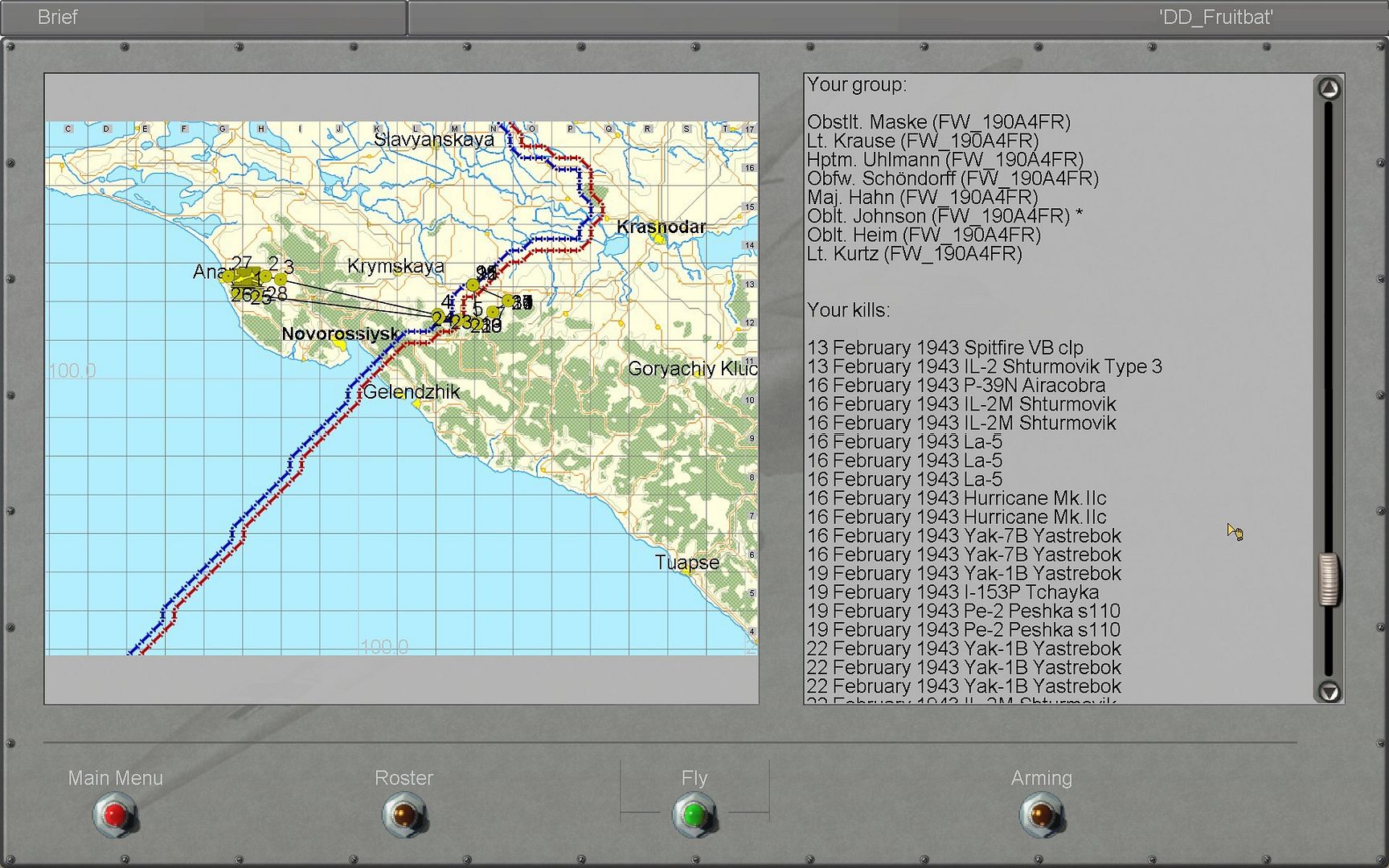
Last edited by fruitbat; 05-20-2012 at 12:50 PM.
|
|
#8
05-20-2012, 12:57 PM
|
|||
|
|||
|
Which files are you editting in dgen? Is it just plane data file or europlanes data files as well.
The campaign you are using, is it stock dgen or is it on of Boelckes or Amagis? I have tried but met with failure every time & it gives me the woops
|
|
#9
05-20-2012, 01:06 PM
|
||||
|
||||
|
Thats a stock dgen campaign, but the process is the same.
You have to add the plane to the europlanes.dat file (just copy all the FW 190 A4 entries, and paste them in after the standard A4 and change them to the FR version FW_190A4FR), and then find the campaign you want to fly, and change all the relevant entries. I think i changed the relevant classes, planes and the actual campaign .db files from memory (just swapped out every A4 entry for the FR version).
|
 |
| Thread Tools | |
| Display Modes | |
|
|







 Linear Mode

