
|
|
|||||||
| Technical threads All discussions about technical issues |
 |
|
|
Thread Tools | Display Modes |
|
#181
 10-20-2011, 03:18 PM
|
|||
|
|||

It might help if you force on Vsync in the control panel while having it off in the game settings. I use those settings for just about everything now as I noticed a 30% increase in FPS over having application controlled set for the driver and vsync on in the game settings. Now I get perfect Vsync and better performance. Just throwing this out there.

|
|
#182
10-20-2011, 05:43 PM
|
|||
|
|||
|
Guys, be aware that at the end of the thread on the BIS forums, there is a link towards a much improved version, called FXAA_PPI and with additional features....
Try it, it really deserves a look!  http://forums.bistudio.com/showthread.php?t=123121
|
|
#183
10-20-2011, 05:55 PM
|
|||
|
|||
|
Quote:
Last edited by Tvrdi; 10-20-2011 at 05:57 PM.
|
|
#184
10-20-2011, 06:01 PM
|
|||
|
|||
|
It´s on thread answer #128.
The direct link to the fileset is http://www.assembla.com/spaces/fxaa-pp-inject/documents Last edited by heidelbergensis; 10-20-2011 at 06:05 PM.
|
|
#185
10-20-2011, 08:28 PM
|
|||
|
|||
|
This configuration for the injFX_settings.h looks fantastic on my screen....
/*================================================= ===================================== "USER" ADJUSTABLE SETTINGS ================================================== ====================================*/ // TODO: Normalize values to be on a human range scale, whole numbers prefered, decimals usable for micro adjustments // These values should have min/max limit checks included in their functions, so that the end user doesn't get crazy results /*------------------------------------------------------------------------------ FILTER SELECTION ------------------------------------------------------------------------------*/ // Comment to deactivate an effect. // Example: To disable the tonemap effect, use // in front of #define USE_TONEMAP #define USE_ANTI_ALIASING #define USE_PRE_SHARPEN //#define USE_BLOOM *NOT WORKING #define USE_TECHNICOLOR #define USE_TONEMAP #define USE_SEPIA //#define USE_VIGNETTE //#define USE_POST_SHARPEN //#define USE_FINAL_LIMITER /*------------------------------------------------------------------------------ FXAA SHADER ------------------------------------------------------------------------------*/ // Set values to calculate the amount of Anti Aliasing applied float fxaaQualitySubpix = 0.85; // Default: 0.75 Raise to increase amount of blur float fxaaQualityEdgeThreshold = 0.010; // Lower the value for more smoothing float fxaaQualityEdgeThresholdMin = 0.0233; // Lower the value for more smoothing /*------------------------------------------------------------------------------ PRE_SHARPEN ------------------------------------------------------------------------------*/ //For higher precision in the calculation of contour, requires slightly more processing power bool highQualitySharpen = 1; //0 = Disable | 1 = Enable // Set values to calculate the amount of AA produced blur to consider for the sharpening pass #define Average 0.8 #define CoefBlur 2 // Set values of the sharpening amount #define SharpenEdge 0.2 #define Sharpen_val0 1.1 /*------------------------------------------------------------------------------ BLOOM ------------------------------------------------------------------------------*/ // Number of samples per pixel taken for the Bloom effect. Don't set it to high! 4 = 25spp, 8 = 81spp, 16 = 289spp #define NUM_SAMPLES2 4 // Must be set with a value dividable by 2 float BloomPreset = 4; // Disabled = 0 (Valid Preset Values = 1 to 9) Preset value 1 to 9 takes control over the next 3 settings. float BloomThreshold = 1; // The min. level at which the effect starts (Valid Values = 1 to 9, use decimals for finetuning) float BloomWidth = 1; // Sets the width of the effect (Valid Values = 1 to 9, use decimals for finetuning) float BloomPower = 1; // The power of the effect (Valid Values = 1 to 9, use decimals for finetuning) /*------------------------------------------------------------------------------ TECHNICOLOR ------------------------------------------------------------------------------*/ #define TechniAmount 0.15 // 1.00 = Max #define TechniPower 5.0 // lower values = whitening // lower values = stronger channel #define redNegativeAmount 1.0 // 1.00 = Max #define greenNegativeAmount 1.0 // 1.00 = Max #define blueNegativeAmount 1.0 // 1.00 = Max /*------------------------------------------------------------------------------ TONEMAP ------------------------------------------------------------------------------*/ //#define Gamma 1.10 #define Gamma 1.20 #define Exposure 0.00 #define Saturation 0.05 // use negative values for less saturation. #define BlueShift 0.05 // Higher = more blue in image. #define Bleach 0.05 // Bleach bypass, higher = stronger effect #define Defog 0.055 // Strength of Lens Colors. #define FogColor float4(0.08, 0.28, 0.10, 3.0) //Lens-style color filters for Blue, Red, Yellow, White. /*------------------------------------------------------------------------------ SEPIA ------------------------------------------------------------------------------*/ #define Earthyellow // Color Tone, available tones can be seen in ColorTones.PNG (Do not use spaces in the name!) #define GreyPower 0.5 //(Valid Values = 1 to 9, use decimals for finetuning), defines how much of the grey color you wish to blend in #define SepiaPower 1.1 //(Valid Values = 1 to 9, use decimals for finetuning), defines how much of the color tone you wish to blend in /*------------------------------------------------------------------------------ VIGNETTE ------------------------------------------------------------------------------*/ // Vignette effect, process by which there is loss in clarity towards the corners and sides of the image, like a picture frame #define VignetteCenter float2(0.500, 0.500) // Center of screen for effect. #define VignetteRadius 1.00 // lower values = stronger radial effect from center #define VignetteAmount -0.70 // Strength of black. -2.00 = Max Black, 1.00 = Max White. /*------------------------------------------------------------------------------ POST_SHARPEN ------------------------------------------------------------------------------*/ // Controls additional sharpening applied after previous processing. Strength should be max 0.25! float Sharpen = 0.05; /*------------------------------------------------------------------------------ FINAL_LIMITER ------------------------------------------------------------------------------*/ // Controls the strenght of the limiter. 1.000 for default setting int LimiterStrenght = 1.000;
|
|
#186
10-20-2011, 08:32 PM
|
|||
|
|||
|
Quote:
|
|
#187
10-20-2011, 10:36 PM
|
|||
|
|||
|
Quote:
Beautiful Sharpness to Textures and a vintage look  Before 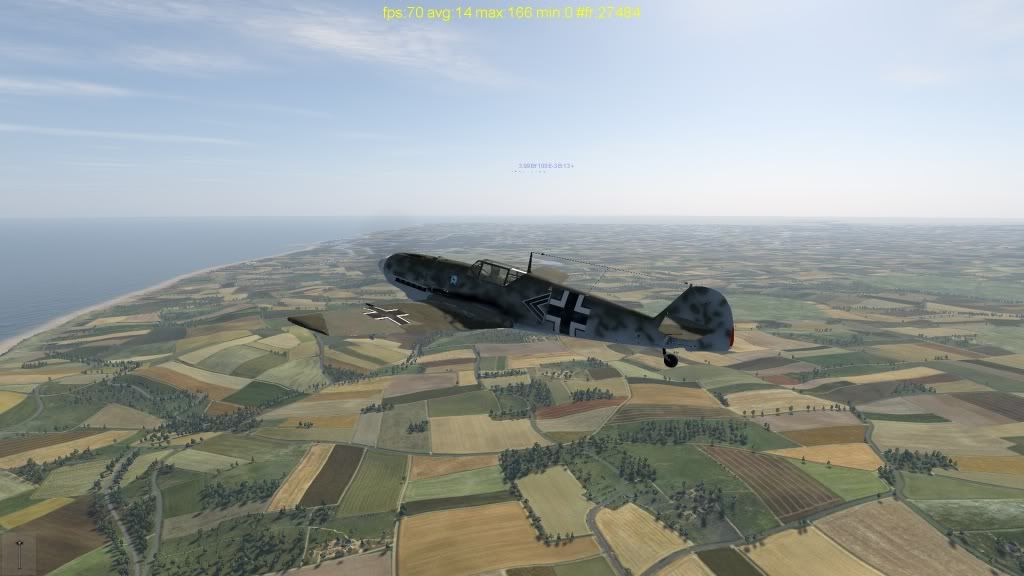 After 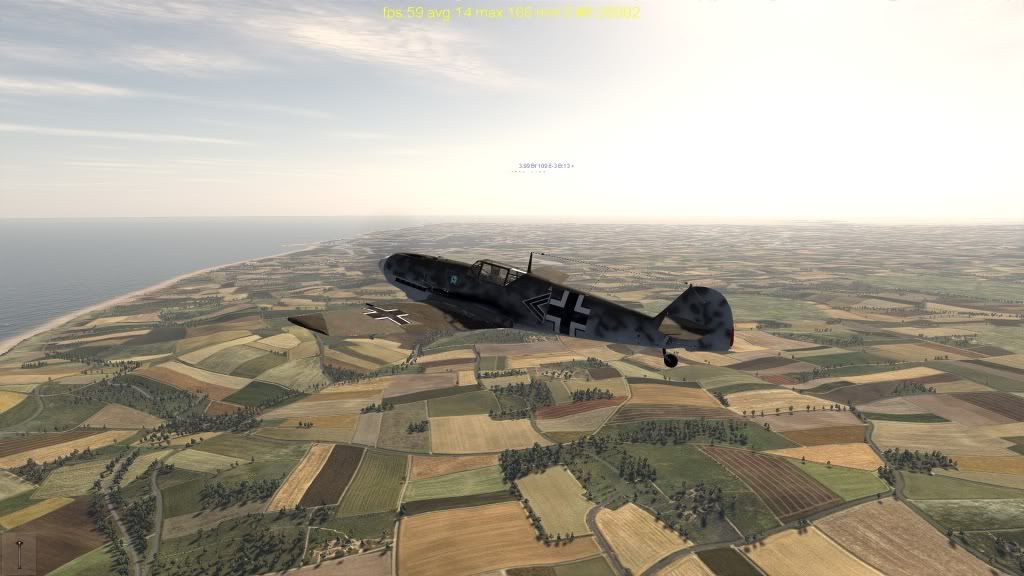 Excellent !! Last edited by Havoc04; 10-20-2011 at 10:46 PM.
|
|
#188
10-20-2011, 10:56 PM
|
|||
|
|||
|
Iits nice but I lowered the red a bit...
|
|
#189
10-21-2011, 04:26 AM
|
||||
|
||||
|
So these later versions dont have any more AA effect than the original? I didnt notice any difference.
EDIT: Ok now I do. Less AA Hideous bloom/sephia effect Going back to the first one lol!
__________________
Quote:
Last edited by CWMV; 10-21-2011 at 04:59 AM.
|
|
#190
10-21-2011, 07:44 AM
|
|||
|
|||
|
Quote:
|
|
| Thread Tools | |
| Display Modes | |
|
|





 Linear Mode

