
|
|
|||||||
| Technical threads All discussions about technical issues |
 |
|
|
Thread Tools | Display Modes |
|
#171
 10-14-2011, 10:59 PM
|
||||
|
||||

Still got jagged wires.
AA ingame = off. No AA in ati control enabled either. Tested with 1X and 2x in ccc running the game in 1920x1080 fullscreen the crossfire fires up both gpu coolers.
__________________
Q9550 @ 3.4 Coolermaster 850w PSu Sapphire HD6970 2GB 8Gb Ram B.Dragon Kingston SSD Win 7 64 Logitech G940 Saitek Quadrant 

|
|
#172
10-14-2011, 11:04 PM
|
||||
|
||||
|
Quote:
__________________
Quote:
|
|
#173
10-14-2011, 11:14 PM
|
|||
|
|||
|
Quote:
 I don't know why people are conning themselves that FSAA 8x works properly, it doesn't. The only one that works is 2x, and not very well at that. Maybe the reason is that it would devastate FPS currently, and they know it. People are wasting their time fiddling with Nvidia settings, they don't change a thing as of yet; 'override' 'enhance' or anything. Ah well. I don't know why people are conning themselves that FSAA 8x works properly, it doesn't. The only one that works is 2x, and not very well at that. Maybe the reason is that it would devastate FPS currently, and they know it. People are wasting their time fiddling with Nvidia settings, they don't change a thing as of yet; 'override' 'enhance' or anything. Ah well.EDIT: Actually I might be wrong since I've stopped playing it lol......I'll try with the latest Beta drivers and the Beta 2 patch, which I have not done yet. Apologies Mastiff mate if it does now. EDIT 2: Nah, doesn't work at all. I tried your Nvidia settings Mastiff with same video settings in game (GTX 580), using the FC2 Launcher, no effect. Also a 'disappearing buildings' bug occurs with those settings. 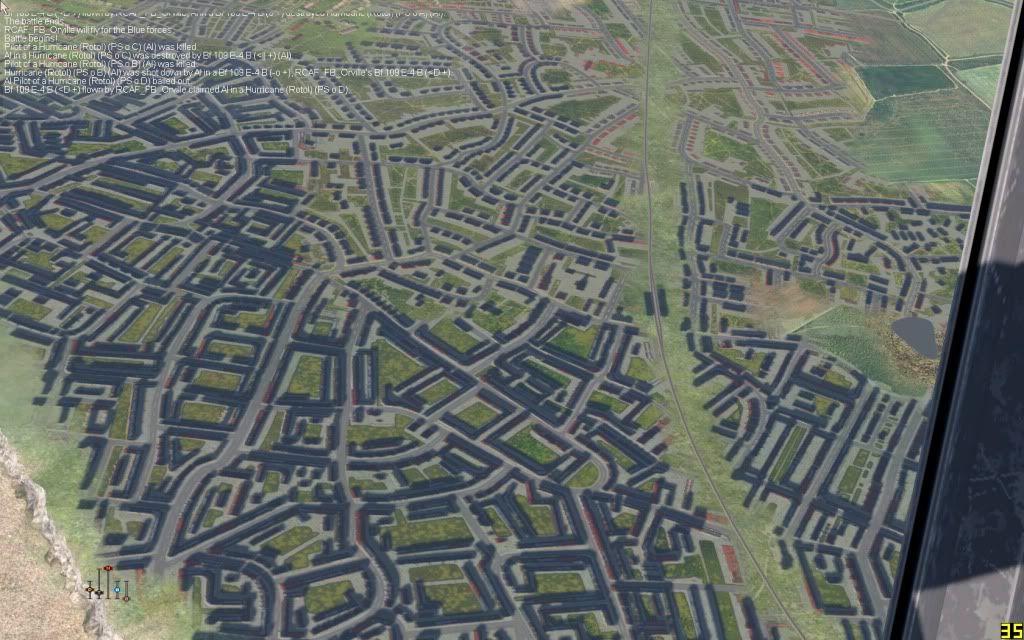 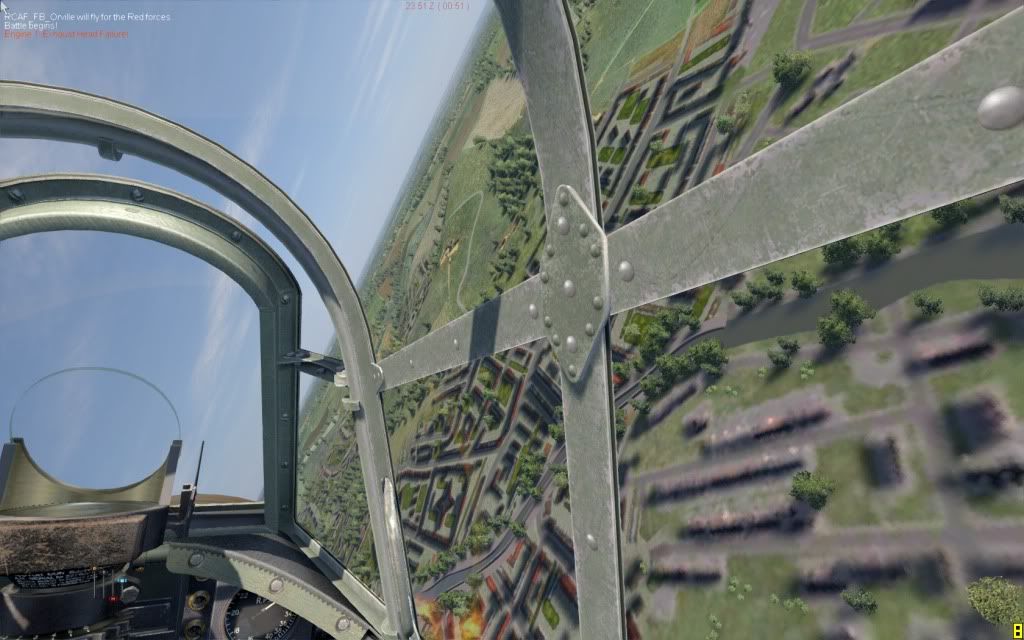
Last edited by RCAF_FB_Orville; 10-15-2011 at 12:35 AM.
|
|
#174
10-15-2011, 11:12 AM
|
||||
|
||||
|
Quote:
__________________
Q9550 @ 3.4 Coolermaster 850w PSu Sapphire HD6970 2GB 8Gb Ram B.Dragon Kingston SSD Win 7 64 Logitech G940 Saitek Quadrant
|
|
#175
10-15-2011, 06:01 PM
|
||||
|
||||
|
In regards to the screenshot GF_Mastiff posted, someone commented that anti-aliasing works in cockpit view just not when planes are viewed from the outside. That's been my experience too. This little program is so easy to use, seems to have little effect on FPS and works very well on my Nvidia 470 card I wouldn't play CoD without it.
|
|
#176
10-17-2011, 05:20 PM
|
|||
|
|||
|
So about this AA fix, I installed it and it works great. The problem is I cant figure out how to remove it (not that I want to), but after the new patch release, I cant find the files in the main folder where I dumped them. The AA fix still works though! Also, more of a concern to me is if steam will ban people who try to play online with this fix? Personally I love it, but I have no interest in being banned from online play. Anyone know the answer to this yet? Thanks!
|
|
#177
10-18-2011, 09:17 AM
|
||||
|
||||
|
Did anyone with ATI cards fiddled with the configuration file?
Areas that are effected the most are around the cockpit. Antenna wires are slightly improved but still look like they're cut.
__________________
Q9550 @ 3.4 Coolermaster 850w PSu Sapphire HD6970 2GB 8Gb Ram B.Dragon Kingston SSD Win 7 64 Logitech G940 Saitek Quadrant
|
|
#178
10-18-2011, 09:34 AM
|
|||
|
|||
|
yeah it works better in cockpit...oustside its still a bit jaggy....when looking at planes from greater distance on ex.
|
|
#179
10-18-2011, 12:53 PM
|
|||
|
|||
|
Quote:
I tried, but it still looks like the inside of rhino's behind. Call me a snob, but I refuse to play this thing until it starts looking like a 2011 game should look - i.e. without jaggies, screwed up shore lines, shimmering trees etc. etc...
|
|
#180
10-18-2011, 07:15 PM
|
|||
|
|||
|
Quote:
The landscape shimmering from near non exsistant AA is really bad even on 1920 x 1200. I suspect it will be implemented when they optimize the sim to the 50% fps gain they are promising, perhaps the next patch. If they turn it on now, almost no one could run it at acceptable fps. Last edited by icarus; 10-18-2011 at 08:15 PM.
|
|
| Thread Tools | |
| Display Modes | |
|
|





 Linear Mode

