
![]() |
|
|||||||
| Technical problems and solutions Armored Princess questions and solutions |
![]() |
|
|
Thread Tools | Display Modes |
|
|
|
#1
|
|||
|
|||
|
Thanks for your reply.
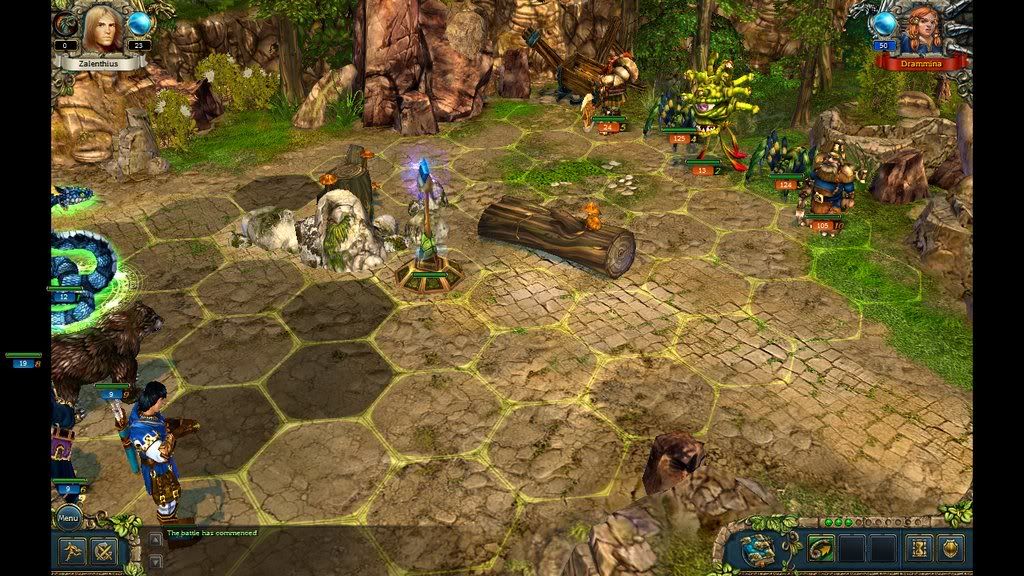
Actually I'm not so worried about the black bars, but am worried about this effect... ![]() That floating green bars in black space might be just weird enough to be distracting. I really hope that it will be corrected in a patch. |
|
#2
|
|||
|
|||
|
Hmmm... I'm guessing you have chosen 1024x768 (4:3 aspect ratio) in the video options in KBAP, and that you have a 16:9 or 16:10 widescreen display.
You usually get these display errors on the side borders when you choose the 4:3 non-widescreen resolution while using a display that is widescreen. Try choosing in KBAP video options a 16:9 or 16:10 resolution (see original list I posted). |
|
#3
|
|||
|
|||
|
I get black bars with every 16:9 resolution.
|
|
#4
|
|||
|
|||
|
to remove the black bars on any game
i only know how to fix it only for ATI cards, Nvidia might have the same option anyway open ATI CCC Go to---> my built in displays--->proprieties (built in display)---> and click on full screen i hope it fixes it |
|
#5
|
|||
|
|||
|
Any new with this issue?
I've got ati hd5650. Tried this M$ link with no luck! http://answers.microsoft.com/en-us/w...1-21deed2c6c2a Anybody knows if is planned a patch to solve this issue? Thanks in advamce |
![]() |
| Thread Tools | |
| Display Modes | |
|
|