Please go to
http://www.techpowerup.com/gpuz
and download the tool GPU-Z. After downloading, unpack it to a folder of your desire and run it as an administrator (!).
go to the sensors tab, you should see something similar like
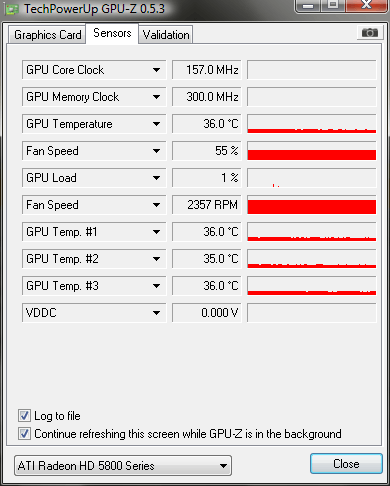
You see that black arrow next to GPU temperature, click and make sure log to file is checked (for now we only need to log temperatures, feel free to add the others later on for your own convenience). Why this is necessary, i´ll explain later.
now start clod and run the black death, after completion, close clod and click that black arrow again, choose "Show Highest Reading" (and that´s why it has to be logged

) and post its value in here or you can make a snapshot of gpu-z using the cam symbol and upload it right from there, giving you a link to post it here.
I might be wrong, but it could be hardwarerelated, so we start by ruling out your GPU.